Risenoow Help Center
Everything you need to hire with Risenoow, or to find your next role with it. Every screen, card, chart, table and button, explained with real screenshots.
Risenoow is a hiring platform that interviews and screens every applicant the moment they apply. You describe the role, the AI writes the job description and the questions, every applicant answers written questions and a voice interview, and your team reads a scored report that quotes the candidate's own words. You still make every decision.
For hiring teams
-
Dashboard
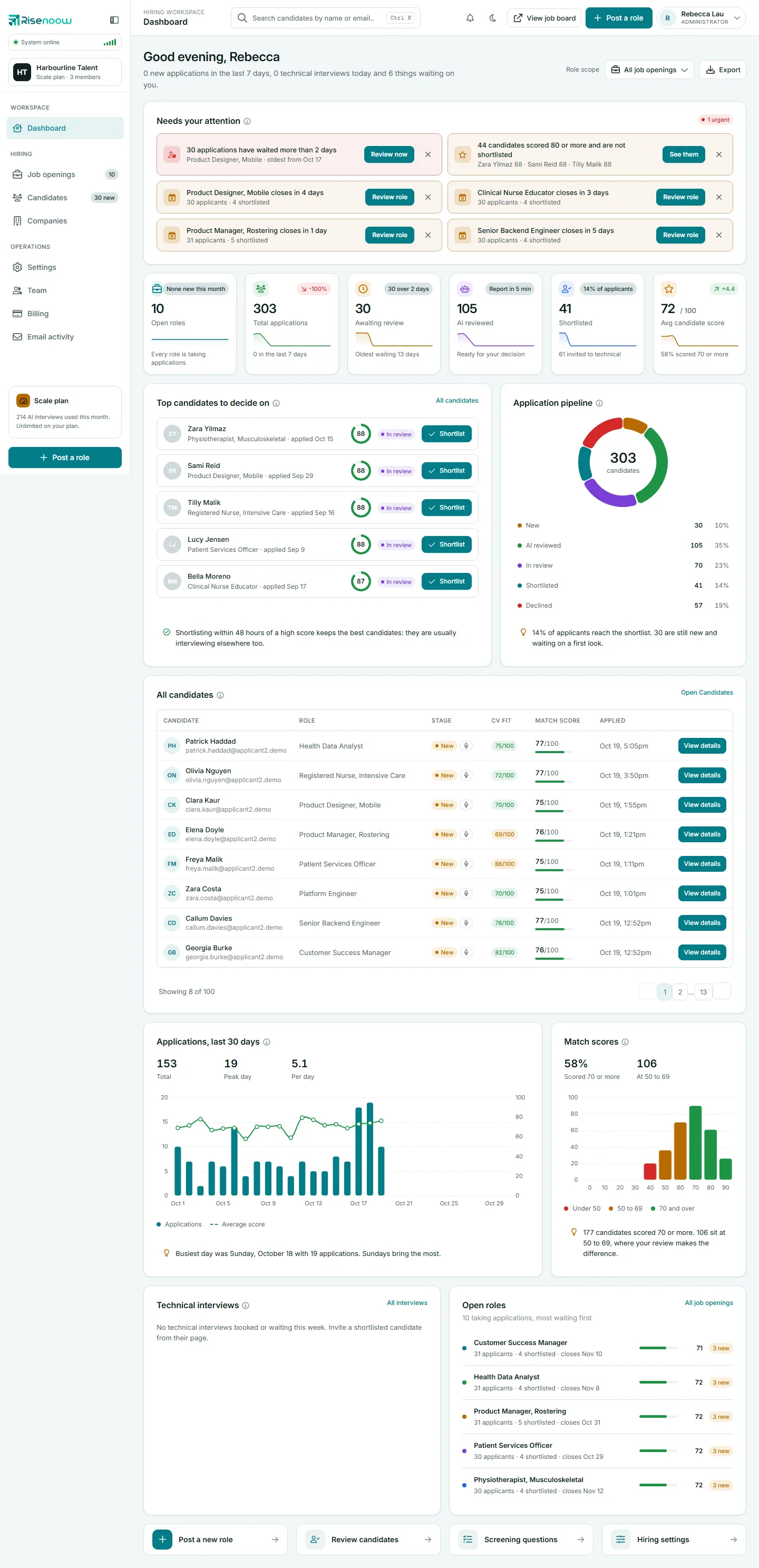
What needs you today, your headline numbers, the strongest candidates and every chart, card by card.
-
Post a role
The seven step wizard: role facts, the job description, review, configure, then the written, voice and technical questions.
-
Job openings
Manage each role: its description, details, questions, tone, preview, publishing and closing.
-
Questions
The five field types, requirement questions with Flag or Auto decline, images, ordering and import.
-
Candidates
The candidate list and the full record: scores, charts, transcript, recording, report and next steps.
-
Workspace
Companies, your team and permissions, settings, billing, email activity and your profile.
For job seekers
-
Applying for a job
How an application works, from the first screen to the voice interview and what happens after.
-
Technical interviews
The invitation, the camera and sound check, and the second stage interview itself.
-
Candidate portal
Applied and saved jobs, job alerts, your career profile, resume review and CV manager.
-
Find a job
Search the job board and narrow it with pay, work type, location and listing time filters.
Quick answers
- Glossary: every term in the product, in plain English.
- Scores explained: what each score means, and what it does not.
- Privacy, data and recordings: what is stored and for how long.
- Frequently asked questions: the questions people ask most.
Frequently asked questions
What is Risenoow?
Risenoow is a hiring platform that gives every applicant a structured interview when they apply. It writes the job description and questions with AI, runs written questions and a voice interview, and gives the hiring team a scored report with the candidate's own words as evidence.
Does the AI decide who gets hired?
No. The AI reads and scores the evidence and suggests what to ask next. Your team reviews every report and makes every decision: shortlisting, declining and inviting to a technical interview.
Is Risenoow free for job seekers?
Applying for a job on Risenoow is free. The candidate portal also offers a CV review against a specific job; see the candidate plans for what each plan includes.
Where do I start as an employer?
Create an account, finish the four first run setup steps, then post your first role. The Getting started guide walks through each one.