Portal dashboard
The dashboard is the first page you see when you sign in to the Risenoow candidate portal. It greets you, sums up what changed in one line ("2 employers have shortlisted you"), and gathers your applications, scores, CV, saved roles, alerts and plan on one page.
Where: Dashboard in the left menu
Who can use it: Every job seeker account
Time needed: A minute to read
Period and your CV assessment
At the top right, Period sets the time window for the figures, the applications list and the charts: Last 30 days, Last 90 days or All time.
Your CV assessment opens a short summary of your newest CV review: the score, a one line verdict and the first two gaps, with See my full analysis. It opens by itself once, the first time a review is ready.
Your next interview
When an employer invites you to a technical interview, a banner appears at the very top. It shows one of these:
| Label | Meaning | Button |
|---|---|---|
| Booked | You have a time. A countdown shows how long until it starts. | Open your interview, and Move the time if you have not moved it yet |
| Waiting on you | Pick a time, or complete it before the deadline shown. | Choose a time or Open your interview |
| Missed | Your time passed. You can pick a new one once. | Pick a new time |
See Technical interview invitation.
The six figures
| Card | What it counts |
|---|---|
| Total applications | Applications in the period, with how many this week |
| Active journeys | Applications not marked Not selected, and how many are waiting for screening |
| Shortlisted | Applications shortlisted, as a share of all, with the employers' names |
| Technical interviews | Invitations, split into booked, to schedule and done |
| Avg screening score | The average score your applications received in screening, and how far above or below the typical applicant you are ("+1 vs field") |
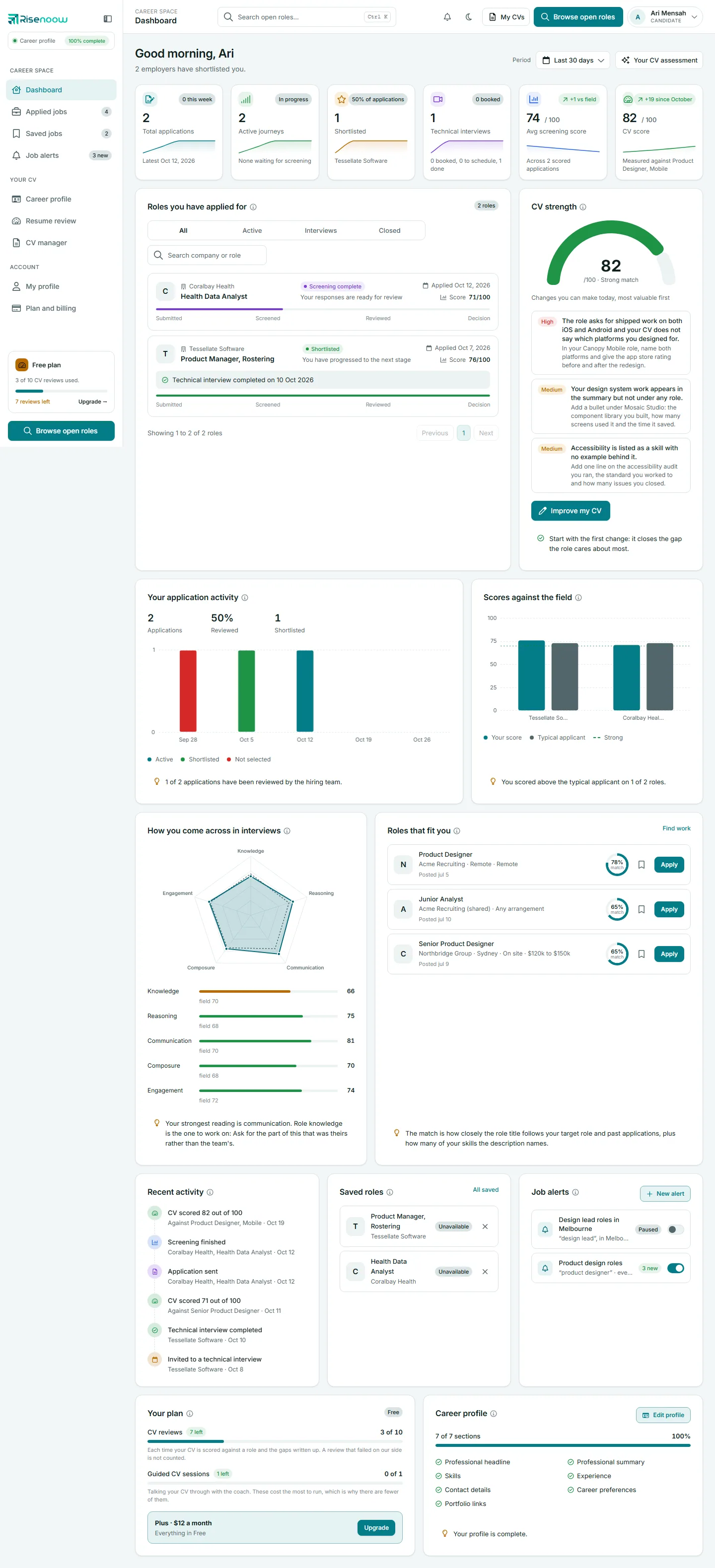
| CV score | Your newest CV review, the role it was measured against, and the change since your first review |
Roles you have applied for
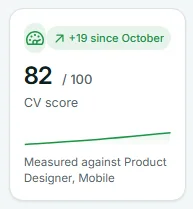
Your applications, newest first, four to a page. Use the tabs to filter:
- All: everything in the period.
- Active: every application not marked Not selected.
- Interviews: applications with a technical interview invitation.
- Closed: applications marked Not selected.
Type in Search company or role to find one. The pill at the top right opens Applied jobs. Each card is explained on Applied jobs.
CV strength
A gauge with your newest CV review score and a label: Strong match at 80 and over, Solid match from 65, Partial match from 50, Weak match below that. Under it, up to three changes you can make today, most valuable first, each marked High, Medium or Low. Improve my CV opens the full review. See Resume review.
Your application activity
Three numbers: Applications, Reviewed (the share the hiring team has reviewed) and Shortlisted. The chart shows when you applied, by week (or by month for All time), coloured by where each application stands now: Active, Shortlisted or Not selected.
Scores against the field
Your screening score for each role beside the Typical applicant, the middle score of everyone else who applied. A role needs at least three other scored applicants before the typical score shows. The dashed Strong line marks 70.
How you come across in interviews
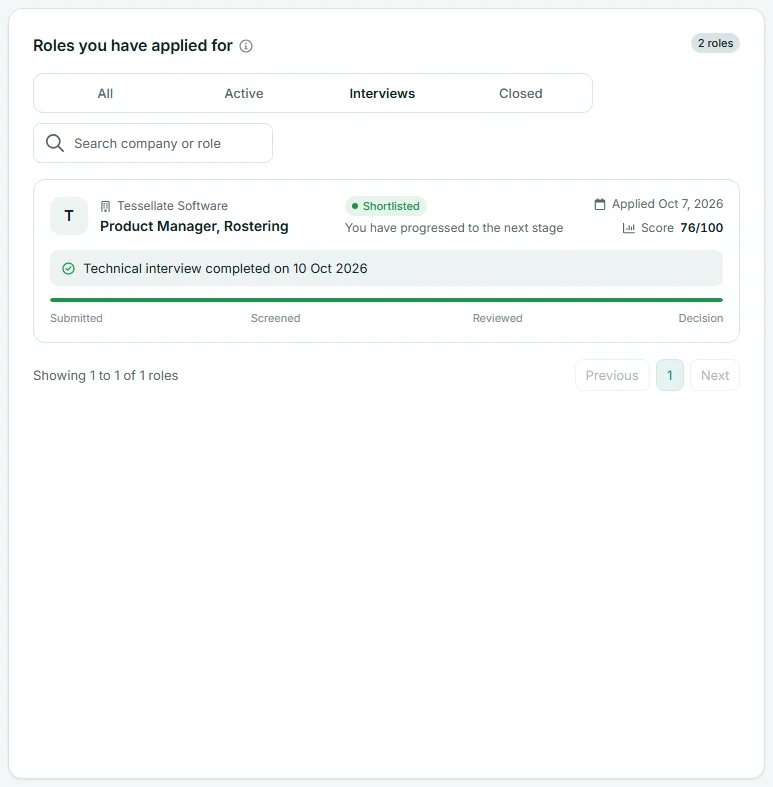
A chart from your newest voice screening with five readings: knowledge, reasoning, communication, composure and engagement. When at least three other people sat the same screening, a dashed Field average appears beside yours. The line underneath names your strongest reading and the one to work on.
Roles that fit you
Up to four open roles you have not applied for, each with a match percentage. The match is how closely the role title follows your target role and past applications, plus how many of your skills the description names. Only matches of 40% or more show. Select to save a role, or Apply. If nothing shows, add a target role and skills to your career profile.
Recent activity, saved roles and alerts
- Recent activity lists the latest six events: applications sent, screenings finished, interview invitations and bookings, and CV reviews.
- Saved roles shows up to four saved roles, closing soonest first, with a pill such as Closes in 3 days or Unavailable. Select to remove one, or All saved for the full list.
- Job alerts shows up to three alerts with a switch to pause or resume each. New alert opens Job alerts.
Your plan and career profile
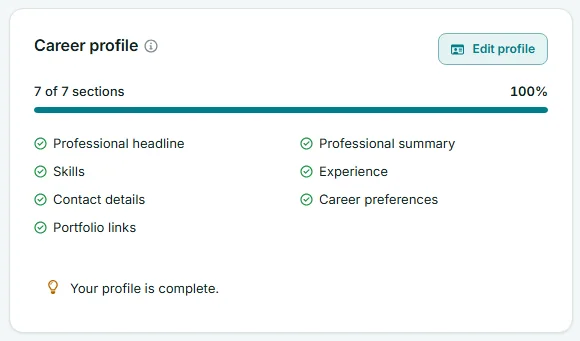
Your plan shows a meter for CV reviews and Guided CV sessions, with how many are left. Career profile lists seven sections (headline, summary, skills, experience, contact details, career preferences and portfolio links) with a tick or an Add link for each.
Frequently asked questions
Is my CV score the same as the score employers see?
No. Your CV score measures your CV alone against a job, and it is private to you. The screening score on an application also counts how you answered the employer's questions. See Scores explained.
Why does my dashboard show fewer applications than Applied jobs?
The dashboard follows the Period you chose. Choose All time to see every application.
Why is there no typical applicant score for a role?
It shows only once at least three other people who applied for that role have a score.