Regenerate questions with AI
Write a fresh set with AI replaces a Risenoow role's questions with new ones written from its saved job description and role details. You choose which sets to rewrite (written, voice interview, technical interview) and how many questions each should have. It is available while nobody has applied to the role.
Where: A role's Questions tab, the Write a fresh set with AI panel
Who can use it: Admins and recruiters (recruiters on their own roles)
Time needed: 20 to 60 seconds of writing, then your review

Write a fresh set
- Open the role's Questions tab and select Write a fresh set with AI to open the panel.
- Tick the sets to replace: Written questions, Voice interview questions and Technical interview questions. Untick any set you want to keep.
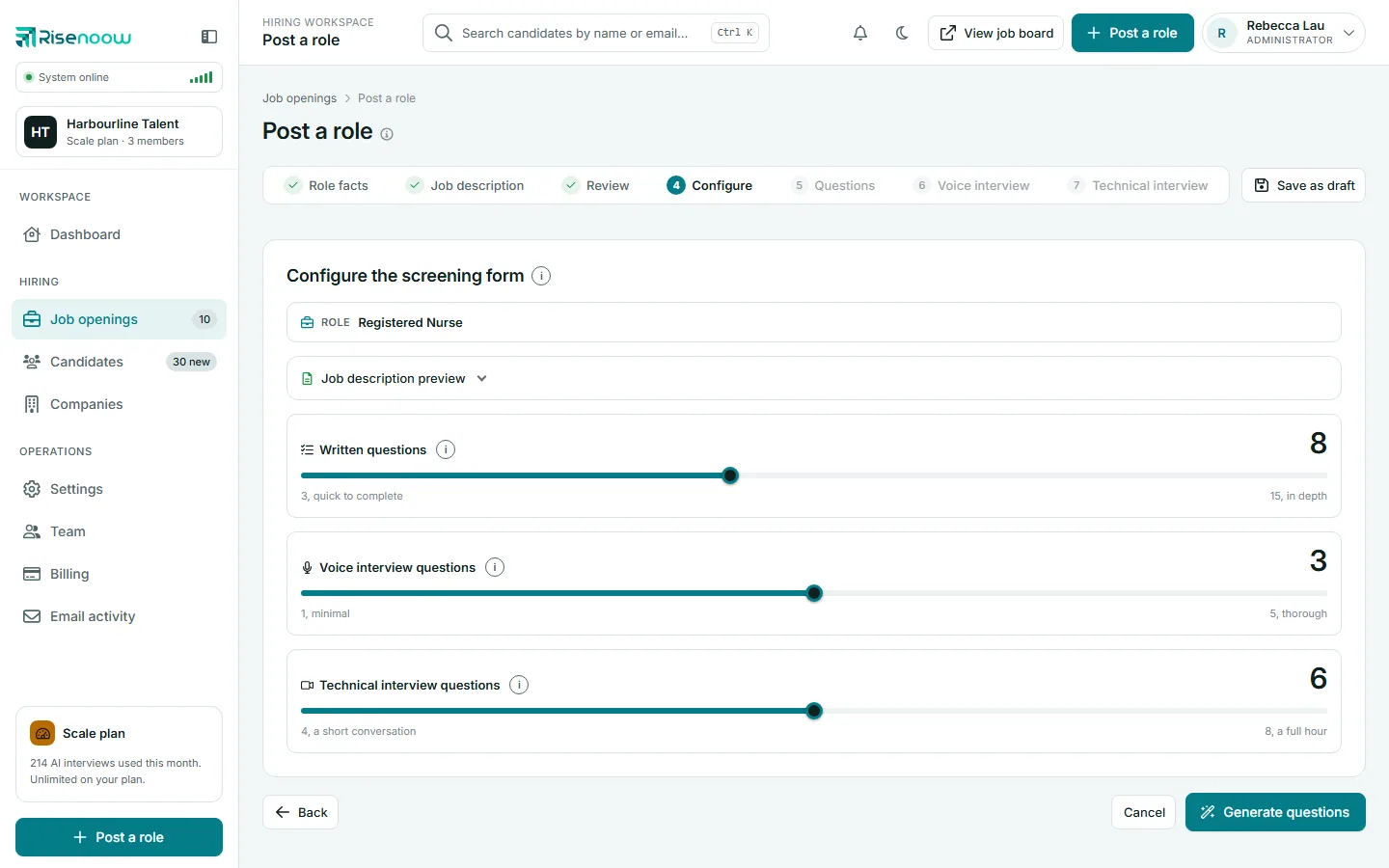
- Use each slider to choose how many questions to write.
- Select Write a fresh set, then confirm Replace the ticked questions?
- Wait while the page says Writing, this takes 20 to 60 seconds.
- A message names what was written, for example the number of written, voice and technical questions.
| Set | How many you can choose |
|---|---|
| Written questions | 3 to 15 |
| Voice interview questions | 1 to 5 |
| Technical interview questions | 4 to 8 |
Each slider starts at the number the role has now. The voice set is not offered when the role's voice interview is off.
Each set is written knowing what the others ask, so between them they cover the whole job description and no question is asked twice. Sets you keep are taken into account too.
What happens to your existing questions
Ticked sets are replaced, not merged
Every question in a ticked set is removed and the new set takes its place. Hand edits, questions you added yourself and accepted answers you ticked in that set are not kept. Untick a set to keep it exactly as it is.
- Written questions: all written questions are replaced. Accepted answers the AI suggests on the new questions start as Flag for review. Set Auto decline again yourself where you need it.
- Voice interview questions: all voice questions are replaced, and their images are removed. The role's AI role and behaviour prompt is rewritten too. Your Opening greeting is kept.
- Technical interview questions: the technical script is replaced.
If a set cannot be written, its old questions are kept and the message says so. If the written questions cannot be written, nothing is changed at all.
When it is not available
- Someone has applied. Their answers belong to the questions they were asked, so the panel shows a lock and explains that a fresh set cannot be written. You can still edit, add or remove single questions.
- No job description. The role needs at least a short description to write from. Add one on the Job description tab first.
After you change the description or role details
When you save a changed job description or role details on a role that has questions, the page asks Update the questions to match the new job description (or role details). It offers the same ticks and sliders with an Update the questions button. Untick any set you edited by hand and want to keep. If people have applied, it explains that the questions are kept.
Frequently asked questions
Will regenerating change questions candidates already answered?
It cannot. Once anyone has applied, a fresh set is not allowed, so their answers always keep their questions.
Can I rewrite only the technical questions?
Yes. Tick Technical interview questions only, choose the count and select Write a fresh set. The written and voice questions stay as they are.
Does it use my Tone and style wording?
Yes. The written questions follow the screening question wording saved on the role's Tone tab first, then your workspace's Tone and style wording, then Risenoow's own wording. See Tone and style.
I regenerated by mistake. Can I undo it?
No. The previous set is replaced. If you exported the questions first, you can import the file again. See Import and export.