After you apply
When you submit a Risenoow application, the hiring team receives it straight away and you get a confirmation on screen and by email. From then on you can follow where your application stands in your candidate portal, and you are emailed whenever its status changes in a way that matters to you.
Where: The confirmation screen, your email inbox and Applied Jobs in the candidate portal
Who it is for: Everyone who has submitted an application
Time needed: Nothing more is needed from you
The confirmation screen
After Submit, you see Application received and Thank you with your first name. The message names the role and the company, and says the hiring team will review your response and contact you if your profile matches their requirements. Some employers add their own message as well.
If this is your first application with that email address, the screen also says an email is on its way with the details you need to access your account.
The emails you receive
You usually receive two emails shortly after you submit.
| What it contains | ||
|---|---|---|
| From the hiring company | "We've received your application for" the role. It confirms the application and says you do not need to do anything else for now. | |
| From Risenoow | Your CV match for the role when it is ready, your career profile drafted from your CV, and a link to your account. |
If you are new to Risenoow, the Risenoow email has a Set my password and see my profile button. It opens your account and lets you choose a password. The link lasts 24 hours. If it runs out, use the forgotten password link on the sign in page.
Good to know
Can't find the emails? Check your spam or junk folder, and look for the role title in the subject line.
Status updates by email
When the hiring team moves your application, you are emailed for the changes that matter to you:
| Subject starts with | What it means | |
|---|---|---|
| "Your ... application is being reviewed" | Your application is with the hiring team for review. | |
| "Good news about your ... application" | You have been shortlisted, and the team will be in touch about next steps. | |
| "An update on your ... application" | The team has decided not to take your application further for this role. |
Each update has a View your applications button that opens your portal. The hiring team may also send you a technical interview invitation. See Technical interview invitation.
Follow it in your candidate portal
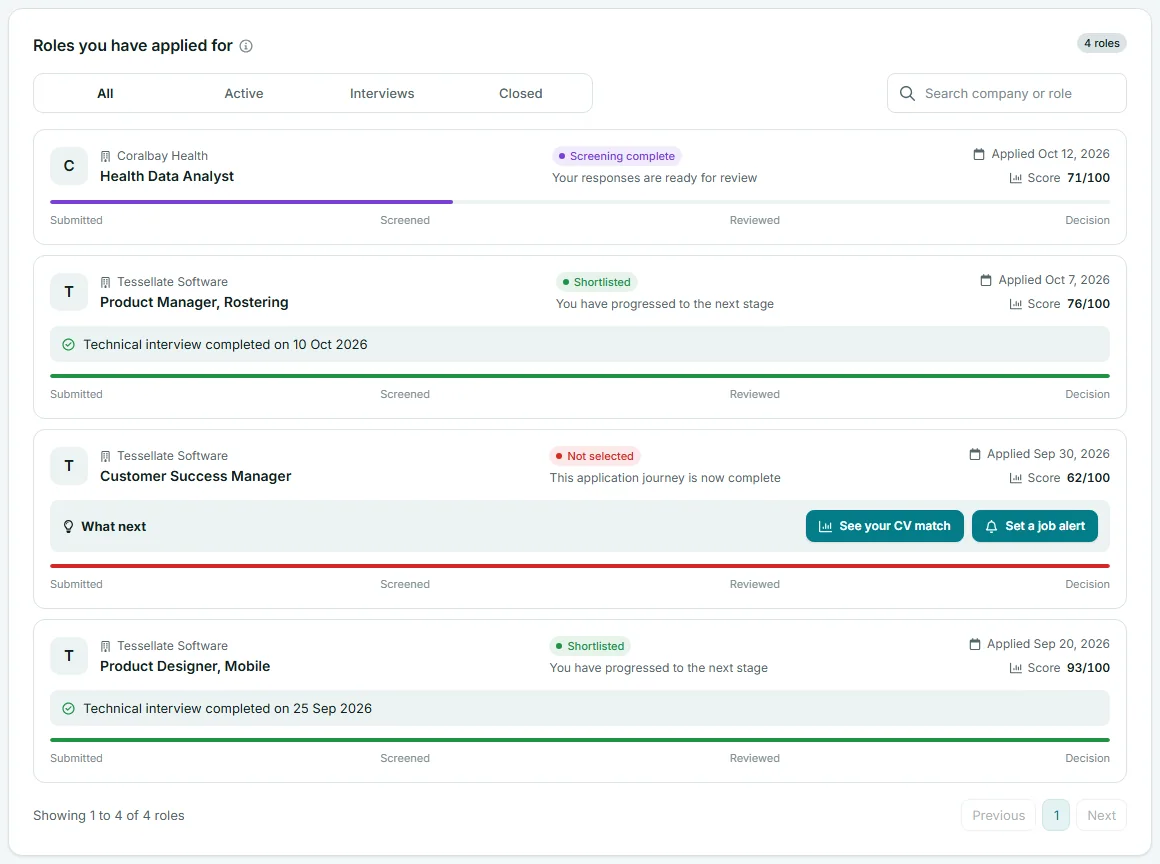
Sign in to Risenoow and open Applied Jobs. Each role shows its status and a progress bar through Submitted, Screened, Reviewed and Decision:
- Submitted: application received.
- Screening complete: your responses are ready for review.
- Under review: the hiring team has reviewed your application.
- Shortlisted: you have progressed to the next stage.
- Not selected: this application journey is complete.

See Applied jobs for everything on that screen.
Applying for the same role again
- While your application is open, you cannot apply for the same role again. The details screen tells you the hiring team already has your application and will be in touch.
- If your application was not successful, you can apply for that role again 90 days after you applied. Until then, the details screen says how many days remain.
- After 90 days, you can send one fresh application if the role is still open.
You can apply for any other role at any time. A decision on one role never affects another.
Frequently asked questions
How long until I hear back from the employer on Risenoow?
The confirmation arrives within minutes. After that, timing is up to each hiring team. You are emailed when your application is reviewed, shortlisted or not taken further.
Why was my application declined so soon?
Some roles have essentials every applicant must meet, such as the right to work in the country. If your answers show one is not met, you receive an email soon after you submit explaining the kind of thing the role needs.
Can I change an application after submitting?
No. Once you select Submit, the application is with the hiring team as you sent it. Make sure your answers and CV are right before you submit.
Can I apply again after being turned down?
Yes, for the same role 90 days after your earlier application, and for any other role straight away.