The dashboard for recruiters
A recruiter's Risenoow dashboard has the same cards as an admin's, but every figure covers only the roles that recruiter created. A few workspace items, such as billing and settings, are left out. This page explains exactly what changes, so a recruiter and an admin can read each other's numbers with confidence.
Where: Dashboard, when you sign in as a recruiter
Who can use it: Recruiters, and admins who want to know what recruiters see
Time needed: Three minutes to read

Recruiters and admins
A workspace has two kinds of team member. Your role shows under your name at the top right of every page.
| Administrator | Recruiter | |
|---|---|---|
| Roles on the dashboard | Every role in the workspace | Only the roles they created |
| Candidates on the dashboard | Everyone who applied to any role | Only applicants to their own roles |
| Settings, Team, Billing | Yes | No |
| First run setup steps | Shown until finished | Never shown |
Admins choose who is a recruiter on the Team page. See Permissions.
Roles belong to whoever created them
A recruiter sees a role because they created it. A role an admin created does not appear on a recruiter's dashboard, even if the recruiter helps with it. An admin sees every recruiter's roles.
What counts only the recruiter's own roles
Everything built from roles and applications is narrowed to the recruiter's roles:
- The greeting line: new applications in the last 7 days and technical interviews today.
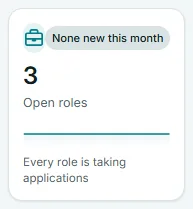
- All six number cards: Open roles, Total applications, Awaiting review, AI reviewed, Shortlisted and Avg candidate score.
- Top candidates to decide on, Application pipeline and All candidates.
- Applications, last 30 days and Match scores.
- Technical interviews and Open roles.
- The Role scope list, which holds only their roles.
- The file from Export.
- The N new count beside Candidates and the role count beside Job openings in the left menu.
Needs your attention for a recruiter
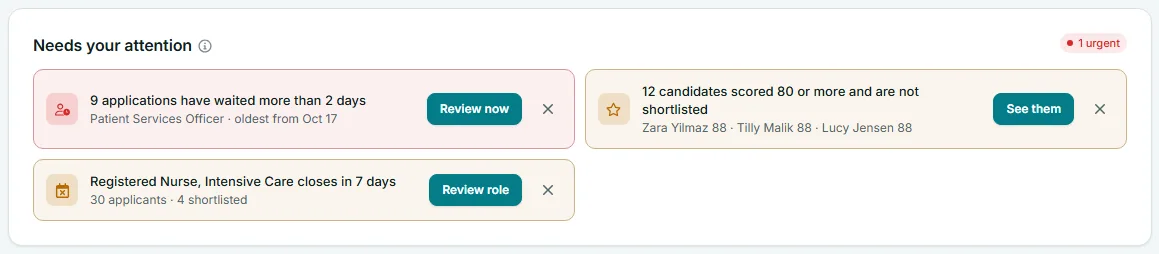
Alerts about waiting applications, strong candidates, today's interviews and closing roles cover the recruiter's roles only. Two alerts are about the whole workspace and can appear for a recruiter too:
- Emails could not be delivered, for any email the workspace sent in the last 30 days.
- Team seats are full. Its Upgrade button leads to Billing, which only an admin can open, so pass this one on to your admin.
The AI interviews are running out this period alert is never shown to recruiters, because only people who manage billing can act on it.
What is missing from a recruiter's screen
- Left menu: Dashboard, Job openings, Candidates, Companies and Email activity. There is no Settings, Team or Billing.
- Plan box: the box showing AI interviews used this period, above Post a role in the left menu, is not shown.
- Account menu: My profile, Take the tour and Sign out. There is no Plan and billing, Team or Workspace settings.
- Quick actions: Email activity takes the place of Hiring settings. See Quick actions.
Why the numbers differ between colleagues
If a recruiter and an admin compare dashboards, the admin's figures will usually be larger. That is expected: the admin's page adds up every role, the recruiter's only their own. To compare like with like, the admin can pick one of the recruiter's roles in Role scope, and both will see the same figures for that role.
Frequently asked questions
Can a recruiter see candidates for roles they did not create?
No. The dashboard, the Candidates page and the search box show only applicants to roles the recruiter created.
Can an admin see what a recruiter sees?
Not as the recruiter. An admin can pick each of the recruiter's roles in Role scope to see the same figures, role by role.
Why does a recruiter see an alert about team seats?
The team seats alert is about the whole workspace, so it shows for everyone. Only an admin can add seats, from Billing.
How do I become an admin?
Ask a workspace admin to change your role on the Team page. See Team.