Decline or delete a candidate
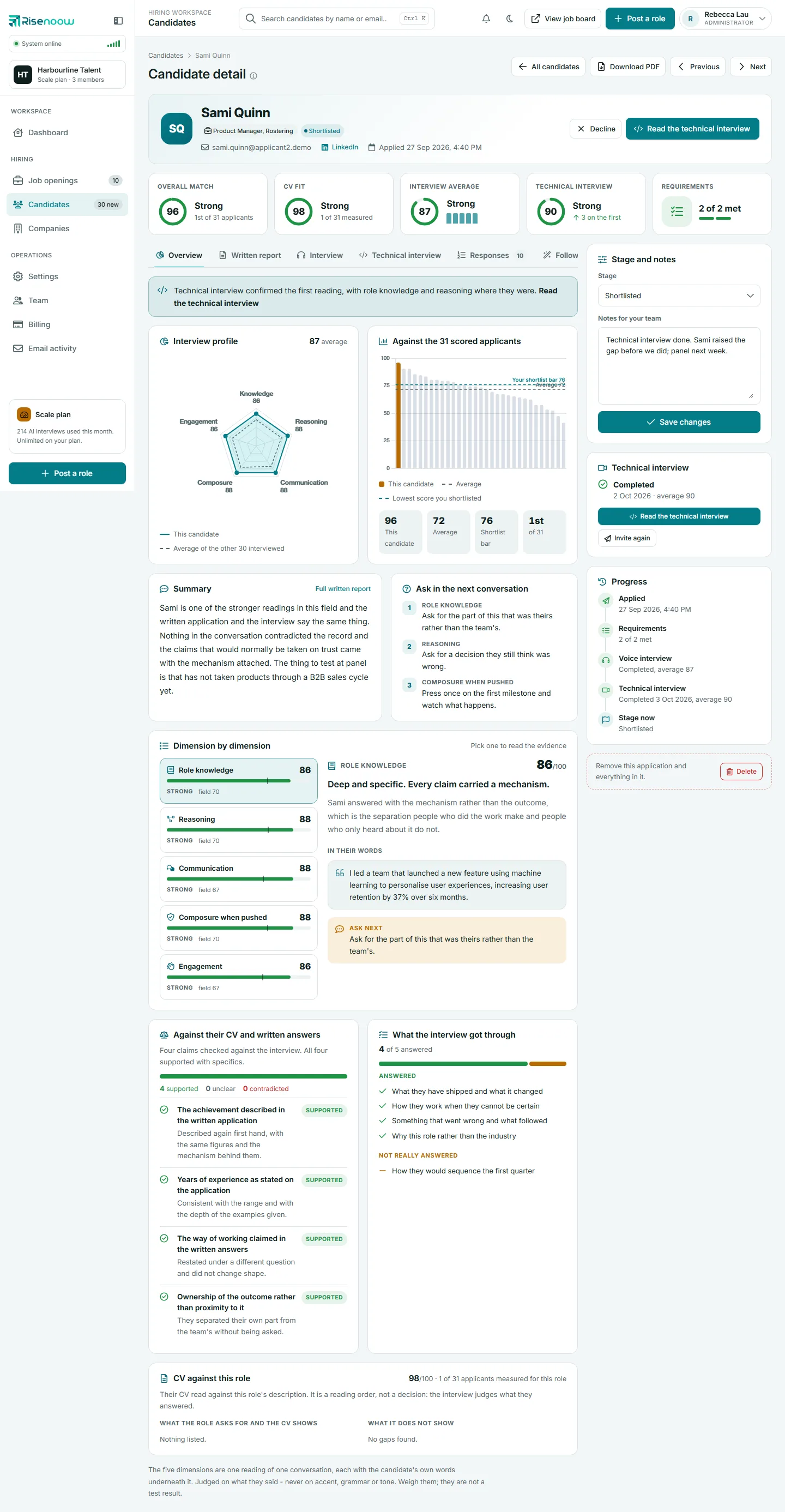
In Risenoow, declining a candidate keeps their application and tells them, kindly, that it is not going further. Deleting an application removes it from your workspace for good and tells the candidate nothing. Decline when you have made a decision; delete only when the record should not exist at all.
Where: The candidate record, and the Candidates list for deleting
Who can use it: Admins, and recruiters on the roles they can see
Time needed: Under a minute
Decline or delete?
| Decline | Delete | |
|---|---|---|
| The application | Kept, with stage Declined | Removed |
| The candidate is emailed | Yes | No |
| Can be undone | Yes, change the stage back | No |
| Counts in your lists and charts | Yes, as Declined | No |
How to decline a candidate
- Open Candidates in the left menu and select a candidate's name.
- Select Decline at the top of the record, beside the candidate's name.
- Read the confirmation: it says the candidate is emailed that their application was not successful.
- Select Decline in the confirmation.
You can also choose Declined in the Stage list of the Stage and notes card and select Save changes. See Stage and notes.
What the candidate is told
The candidate gets an email from your company, with its logo, thanking them for applying and saying that on this occasion the team has decided not to take the application further. It says this is not a reflection of their ability and welcomes another application. It never gives your reasons or their score.
They may also get a separate email from Risenoow with suggestions for their next application, such as other roles that may suit them. Both emails are sent once, only when the stage actually changes to Declined.
Automatic declines
An application can also be declined automatically when the candidate misses a requirement set to Auto decline. Those candidates are emailed the reason, no interview is run and no report is written. See Requirements tab.
Undoing a decline
Choose another stage in Stage and notes and select Save changes. The application, its answers and its report are all still there. Moving the candidate to In review or Shortlisted emails them about the new stage, so tell them yourself if the first email was a mistake.
How to delete one application
- Open the candidate's record.
- At the bottom of the right hand column, next to Remove this application and everything in it., select Delete.
- Read the confirmation. It says the candidate's answers, reports, interviews, recordings, CV and email history are removed, and that this cannot be undone.
- Select Delete.
You can also delete from the Candidates list with the bin button at the end of a row.
How to delete several applications
- Open Candidates in the left menu.
- Tick the box at the start of each row, or the box in the heading to select every row on the page.
- In the bar that appears, select Delete selected.
- Confirm. The selected applications are removed for good.
You return to the same filtered and sorted page of the list, with a message saying how many were deleted. If not every selected application reached the server, nothing is deleted at all and the page asks you to select a smaller batch.
Before you delete
Deleting cannot be undone, and there is no bin to restore from. It removes the application and everything in it: written answers, follow up answers, scores, reports, the CV, voice interview sessions and recordings, technical interview invitations and their video and audio, and email log entries. This is the same for one application or several. The candidate is not told. If you only want the candidate out of your way, decline them instead and filter the list by stage.
Frequently asked questions
Does the candidate find out if I delete their application?
No. Deleting sends no email. If you want them to hear back, decline them first.
Can I get a deleted application back?
No. Deleting is permanent. If you think you may need the record, keep it and decline instead.
Will declining stop a technical interview invitation?
No. Cancel a live invitation on the Technical interview card first. See Invite to a technical interview.
Does the candidate's career profile get deleted?
No. The career profile belongs to the candidate's own account. Deleting removes only your copy of the application.
Who can delete applications?
Admins, and recruiters for the roles they can see.