Candidate portal
The Risenoow candidate portal is your private space as a job seeker. It shows where every application stands, keeps the roles you saved and your job alerts, holds your CVs and career profile, and lets you check your CV against any job before you apply.
Where: Sign in at risenoow.com as a job seeker
Who can use it: Anyone with a free job seeker account
Time needed: A few minutes to look around
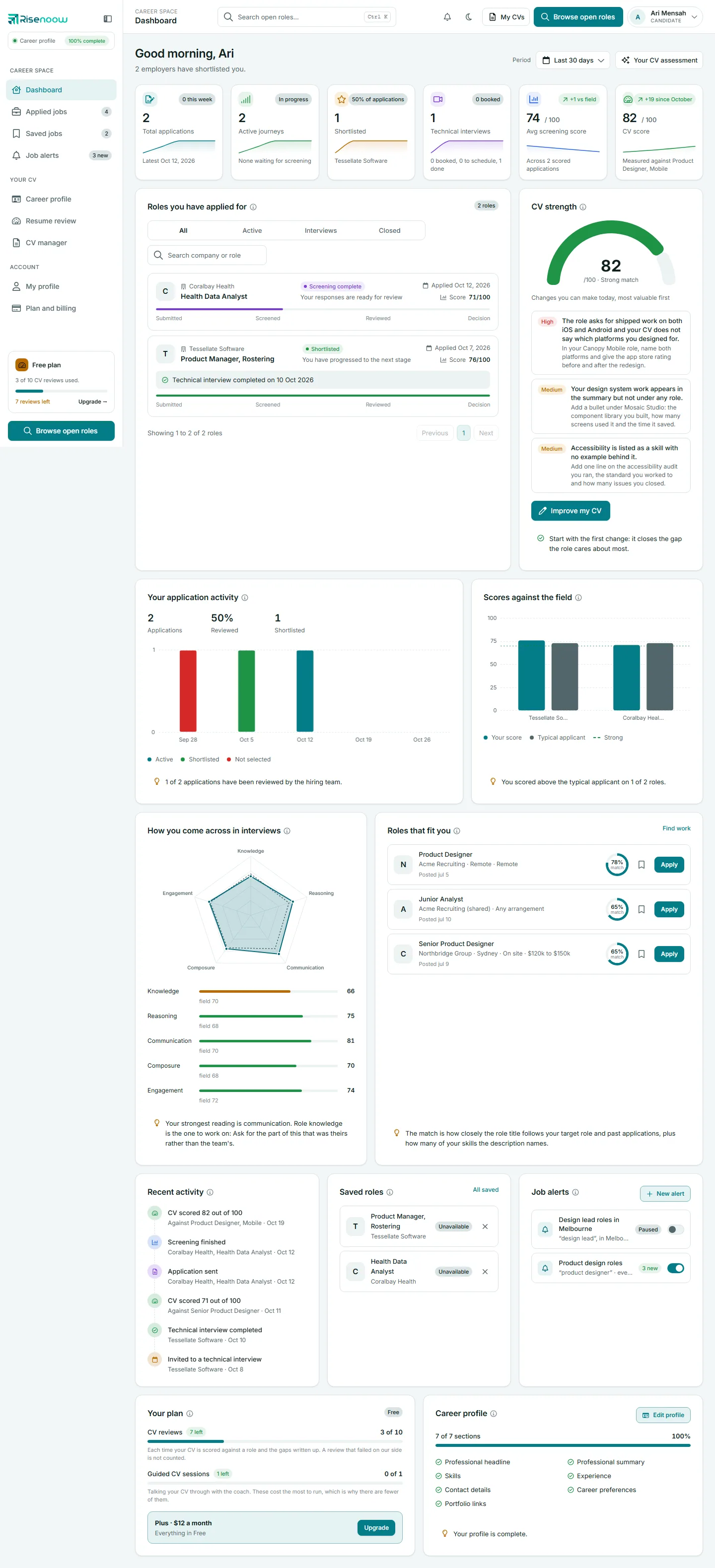
The portal menu
The menu on the left has three groups. On a phone, open it with the menu button at the top left.
| Group | Menu item | What it is for |
|---|---|---|
| CAREER SPACE | Dashboard | Your next interview, your numbers and every card at a glance |
| Applied jobs | Every role you applied for, with its stage. The number beside it is how many applications you have | |
| Saved jobs | Roles you bookmarked to look at later | |
| Job alerts | Searches that email you new roles. The badge shows how many new matches are waiting | |
| YOUR CV | Career profile | One record of your experience, drafted from your CV |
| Resume review | Score your CV against a job and see what to fix | |
| CV manager | The CVs you uploaded or applied with | |
| ACCOUNT | My profile | Your name, sign in email, timezone, password, and account deletion |
| Plan and billing | Your plan and what you have used |
Above the menu, the Career profile pill shows how complete your profile is. Below the menu, a small card shows your plan and how many CV reviews you have left, with an Upgrade link. The Browse open roles button opens the public job board.
The top bar
- Search open roles searches the job board. Press Ctrl+K to jump to it.
- The bell lists what happened on your applications and CV reviews in the last seven days.
- The moon or sun button switches between dark and light mode.
- My CVs opens the CV manager.
- Your name opens the account menu: My profile, Career profile, My CVs, Plan and billing, Take the tour and Sign out.
Every guide in this section
-
Create a job seeker account
Sign up free with your name, email and a six digit code.
-
Portal dashboard
Every card and chart on your dashboard, explained.
-
Applied jobs
Where each application stands and what to do next.
-
Saved jobs
Keep roles to compare and come back to.
-
Job alerts
Get new matching roles by email, daily or weekly.
-
Career profile
One record of your work, used for applications and resumes.
-
Resume review
Score your CV against a job, answer a few questions, get it rewritten.
-
CV manager
Upload CVs, pick a default and download them in a template.
-
My profile
Name, email, photo, timezone and password.
-
Plan and billing
What your plan includes and how to change it.
-
Delete your account
What is removed and what employers keep.
Frequently asked questions
Do I need an account to apply for a job?
No. You can apply from the job board without signing in. If you apply with a new email address, Risenoow creates a job seeker account for you and emails a link to choose a password.
Can employers browse my portal?
No. Your portal, CVs and career profile are private. An employer only sees what you send with an application to them.
Is the portal free?
Yes. The free plan includes the portal and a set number of CV reviews. See pricing for job seekers for what paid plans add.