Top candidates to decide on
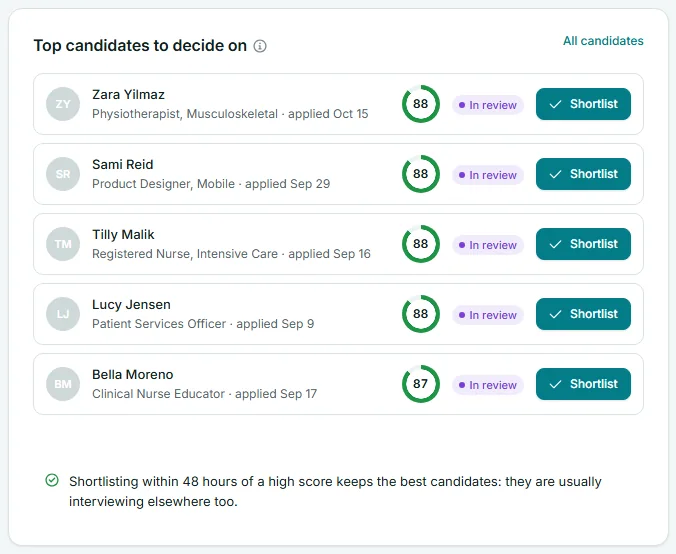
Top candidates to decide on is the Risenoow dashboard card that lists the five highest scoring candidates you have not shortlisted or declined yet. Each row has a Shortlist button, so you can act on your best applicants without leaving the dashboard.
Where: Dashboard, below the six number cards, on the left
Who can use it: Workspace admins and recruiters
Time needed: A minute or two
Who appears in the list
A candidate appears when all of these are true:
- They applied to a role you can see.
- They have a match score.
- Their stage is New, AI reviewed or In review. Shortlisted and declined candidates are left out, because you have already decided on them.
The list is sorted by match score, highest first. When two candidates have the same score, the one who applied more recently comes first. The card shows the top five.
What each row shows
| Part of the row | What it means | |
|---|---|---|
| Initials | The candidate's initials. | |
| Name | Select it to open the candidate's full record and report. | |
| Role and date | The role they applied for, and when: "applied 3h ago", "applied yesterday" or a date such as "applied Oct 15". | |
| Score ring | The match score out of 100. The ring fills in proportion to the score. | |
| Stage pill | New, AI reviewed or In review. | |
| Shortlist | Moves the candidate to the Shortlisted stage. |
How to shortlist from the dashboard
- Read the row. If you want more detail first, select the candidate's name to open their report.
- Select Shortlist.
- The page reloads with the message Candidate shortlisted. The candidate leaves the list and the next highest score moves up.
Before you shortlist
Shortlisting emails the candidate to tell them their application has moved forward. Read the report first if you have not met the candidate's answers yet.
To decline someone, or to mark them In review, open their record and change the stage there. See Stage and notes.
The line under the list
The card ends with a reminder: "Shortlisting within 48 hours of a high score keeps the best candidates: they are usually interviewing elsewhere too." Strong candidates rarely wait. A quick decision is often the difference between hiring them and losing them.
The All candidates link at the top right opens the Candidates page sorted by score, so you can carry on past the top five.
When you pick one role
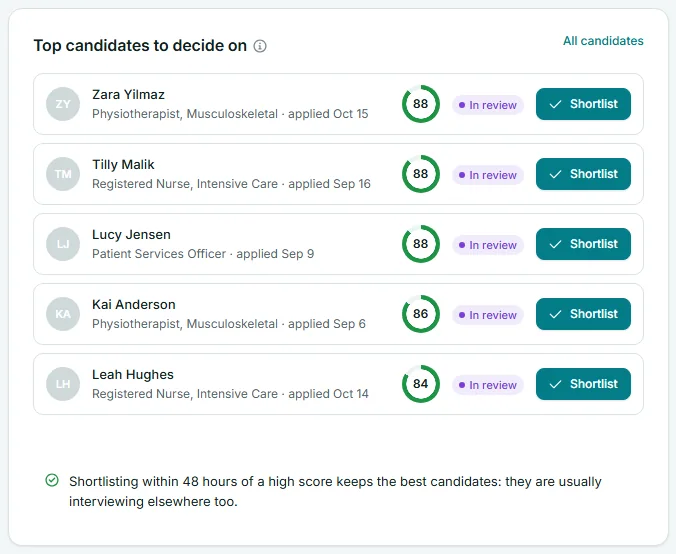
Choose a role in Role scope and the list shows that role's five highest scores still waiting for a decision. When no one in the scope fits, the card says No scored candidates waiting in this scope.
Frequently asked questions
Why is a high scoring candidate missing?
They may already be shortlisted or declined, or their report may not have a score. A recruiter sees only candidates for the roles they created.
Can I see more than five?
Not on the dashboard. Select All candidates at the top of the card to open the full list sorted by score.
Can I undo a shortlist?
Yes. Open the candidate's record and choose another stage. The candidate has already received the shortlisted email, so tell them yourself if you change your mind.
How is this different from the strong candidates alert?
Needs your attention raises an alert when candidates scored 80 or more and are not shortlisted. This card shows the top five whatever their score.