Voice interviewer settings
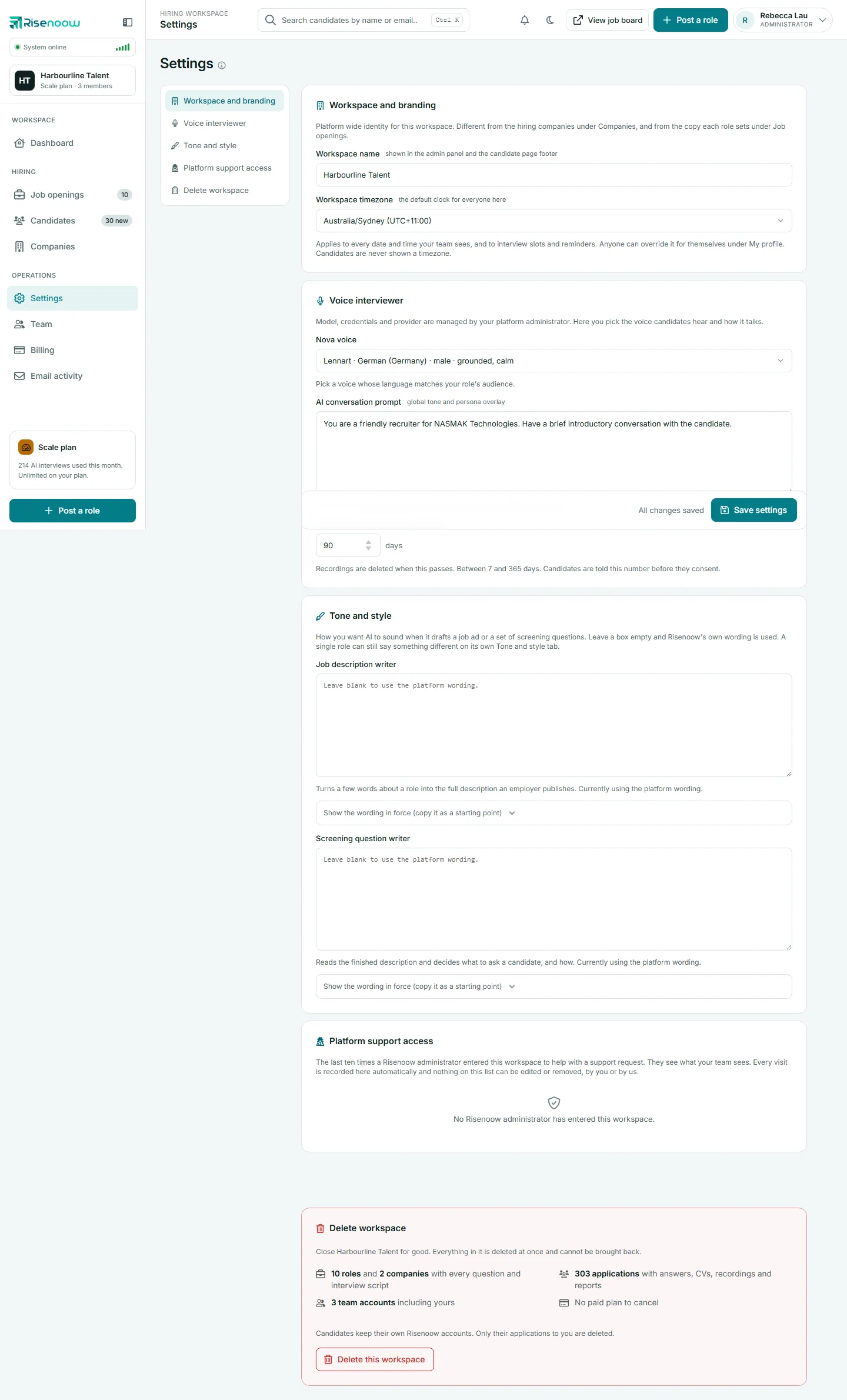
The Voice interviewer section of Risenoow Settings sets two workspace wide defaults for the AI voice interview: the voice candidates hear, and the AI conversation prompt that shapes how the interviewer talks. Every role uses them unless the role adds its own instructions. The same section also sets how long technical interview videos are kept, covered in Recording retention.
Where: Settings in the left menu, then Voice interviewer
Who can use it: Workspace admins only
Time needed: About 5 minutes
Info
The voice engine, its model and its credentials are managed by Risenoow, as the card says. Here you choose the voice candidates hear and how it talks.
Choose the voice
The first box in the section is the voice list. Each option shows a name, the voice's language and accent, whether it sounds male or female, and a short description, for example "warm, professional" or "grounded, calm".
The list includes voices for:
| Language | Voices | |
|---|---|---|
| English (US) | 2 | |
| English (UK) | 1 | |
| French (France) | 1 | |
| German (Germany) | 3 | |
| Italian (Italy) | 2 | |
| Spanish (Spain) | 1 | |
| Spanish (US) | 1 |
A new workspace starts with a warm, professional English (US) voice.
Which roles use the voice you pick
The interview is spoken in the language set on each role, and Risenoow matches the voice to that language:
- English roles use the voice you pick here. English is the one language with a real choice of accents, so a British voice for a British role is kept.
- Spanish, French, German and Italian roles use a native voice for that language, chosen for you, so the interviewer never sounds like a translation.
- Portuguese and Hindi roles use the voice you pick here, speaking the role's language.
Good to know
If most of your roles are in English, pick an English voice whose accent suits your candidates. A voice from another language speaking English sounds accented.
- Open Settings in the left menu and select Voice interviewer.
- Open the voice list and choose a voice.
- Select Save settings at the bottom of the screen.
The next interview that starts uses the new voice. Interviews already in progress are not changed.
Write the AI conversation prompt
The AI conversation prompt is a global tone and persona overlay for every voice interview in your workspace. It is written to the interviewer and never read out to candidates.
Leave it blank and the interviewer follows Risenoow's default. The hint under the box says "Using the platform default" when that is the case. You do not need to list questions here: the role's voice script and its numbered questions are added automatically.
- Open Settings and select Voice interviewer.
- Type your instructions in AI conversation prompt.
- Select Save settings.
What to put in it
Good prompts are short and describe behaviour, not content:
- who the interviewer is speaking for, for example "a friendly recruiter for our clinics",
- the tone to keep, such as warm and direct,
- habits to follow, such as asking one question at a time and letting the candidate finish.
Example
"You are a friendly recruiter for Harbourline Talent. Keep a warm, direct tone, ask one question at a time and let the candidate finish before you reply."
Start with "You are". Do not write a greeting here. The interviewer greets candidates by itself, and each role can set its own Opening greeting.
How the workspace prompt and the role prompt fit together
Each role has its own AI role and behaviour prompt on its voice questions page. It builds on the workspace prompt you set here. Use the workspace prompt for what is true of every interview, and the role prompt for what to assess in that one role. See Voice questions.
Frequently asked questions
Can I use a different voice for each role?
Not directly. English, Portuguese and Hindi roles all use the workspace voice. Roles in Spanish, French, German and Italian get a native voice for their language automatically.
Does changing the prompt affect candidates who already applied?
No. It applies to interviews that start after you save. Completed interviews and their reports stay as they are.
Should I write a greeting in the prompt?
No. The interviewer greets candidates by itself. Describe the interviewer instead, starting with "You are", and put any greeting you want in the role's Opening greeting.
Can recruiters change the voice?
No. Settings is for workspace admins only.