Technical interviews card
The Technical interviews card on the Risenoow dashboard lists second stage interviews booked for today and the next 7 days, the ones held with camera after the first screening. It shows who is booked, who has not booked yet and who missed their slot, with a button to act on each.
Where: Dashboard, near the bottom, on the left
Who can use it: Workspace admins and recruiters
Time needed: Under a minute
Who appears on the card
The card shows up to six interviews, in this order:
- Booked interviews with a time today or in the next 7 days, earliest first. Days follow your workspace's time zone.
- Invitations still waiting to book, where the booking deadline has not passed.
- Candidates who did not attend, marked in the last 7 days.
What each row shows
| Part | What it shows |
|---|---|
| Day and time | Today, or a day such as "Mon 3". For a booked interview, the time. For an invitation, "By 5:00 pm", the booking deadline. Any day when there is no date. |
| Name | The candidate. |
| Second line | The role, and a note: see the table below. |
| Pill | Booked (green), Waiting to book (amber) or Did not attend (red). |
| Button | Remind for an invitation not yet booked, Open for the others. |
The note on the second line depends on the status:
| Status | Note |
|---|---|
| Booked | "Camera required" or "Voice only". If the candidate changed their time, "Moved once" or "Moved 2 times". |
| Waiting to book | When the invitation went out, for example "Invited 3h ago" or "Invited on Oct 3". |
| Did not attend | "Offer a new time". |
How to remind a candidate
- Find the row with the amber Waiting to book pill.
- Select Remind.
- The page reloads with the message Invitation sent again. The candidate gets the invitation again, on the same terms, with a fresh link.
For a booked interview or a missed one, select Open to go to the candidate's record, where the technical interview tab and the invitation live.
The insight line
Under the list, one line sums it up:
- If anyone did not attend: "1 no show in the last 7 days. Candidates offered a new time within a day usually attend."
- Otherwise, if anyone has not booked: "2 candidates have not booked yet. A reminder the day before the deadline helps."
- Otherwise: "Every invited candidate has a time booked."
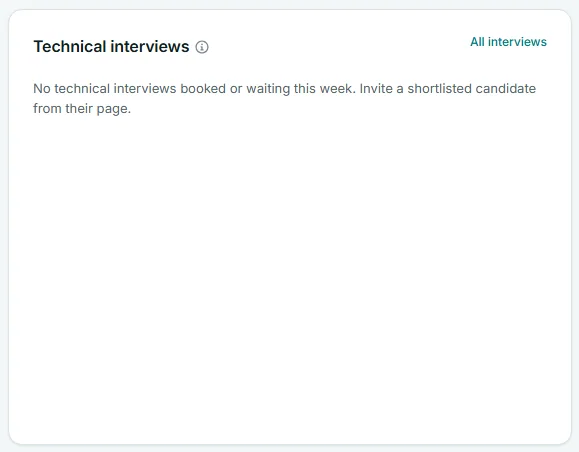
When there is nothing to show, the card says No technical interviews booked or waiting in this scope. and the line under it reads "Invite a shortlisted candidate from their page to book a technical interview." If technical interviews are not available to your workspace, it says Technical interviews are not switched on for this workspace yet.
The All interviews link at the top right opens Candidates filtered to candidates with a technical interview.
Role scope and this card
The card follows Role scope. With All job openings it covers every role you can see. Pick a role and it shows only that role's interviews and invitations, with the insight line for that role. A recruiter sees only interviews for the roles they created.
Good to know
An interview booked for today also appears at the top of the page in Needs your attention, so you will not miss it.
Frequently asked questions
Why is an interview from two weeks ago not shown?
The card looks ahead: interviews booked for today and the next 7 days, open invitations, and missed interviews from the last 7 days. Use All interviews for the full history.
What happens when the booking deadline passes?
The invitation leaves this card. Open the candidate's record to send a new one.
Does Remind change the invitation?
No. Remind sends the invitation again on the same terms with a new link, and the old link stops working. If the invitation offers time slots, the new one offers the slots that are free now. To change the terms, open the candidate's record.
How do I invite someone to a technical interview?
From the candidate's own record, at any stage. See Invite to a technical interview.