Upload a job description file
Upload file is the tab on step 2 of Post a role in Risenoow for a description you have as a document. You upload a PDF, Word or text file, Risenoow reads the words out of it, and you check the result on the Review step.
Where: Post a role, step 2, tab Upload file
Who can use it: Workspace admins and recruiters
Time needed: Under a minute
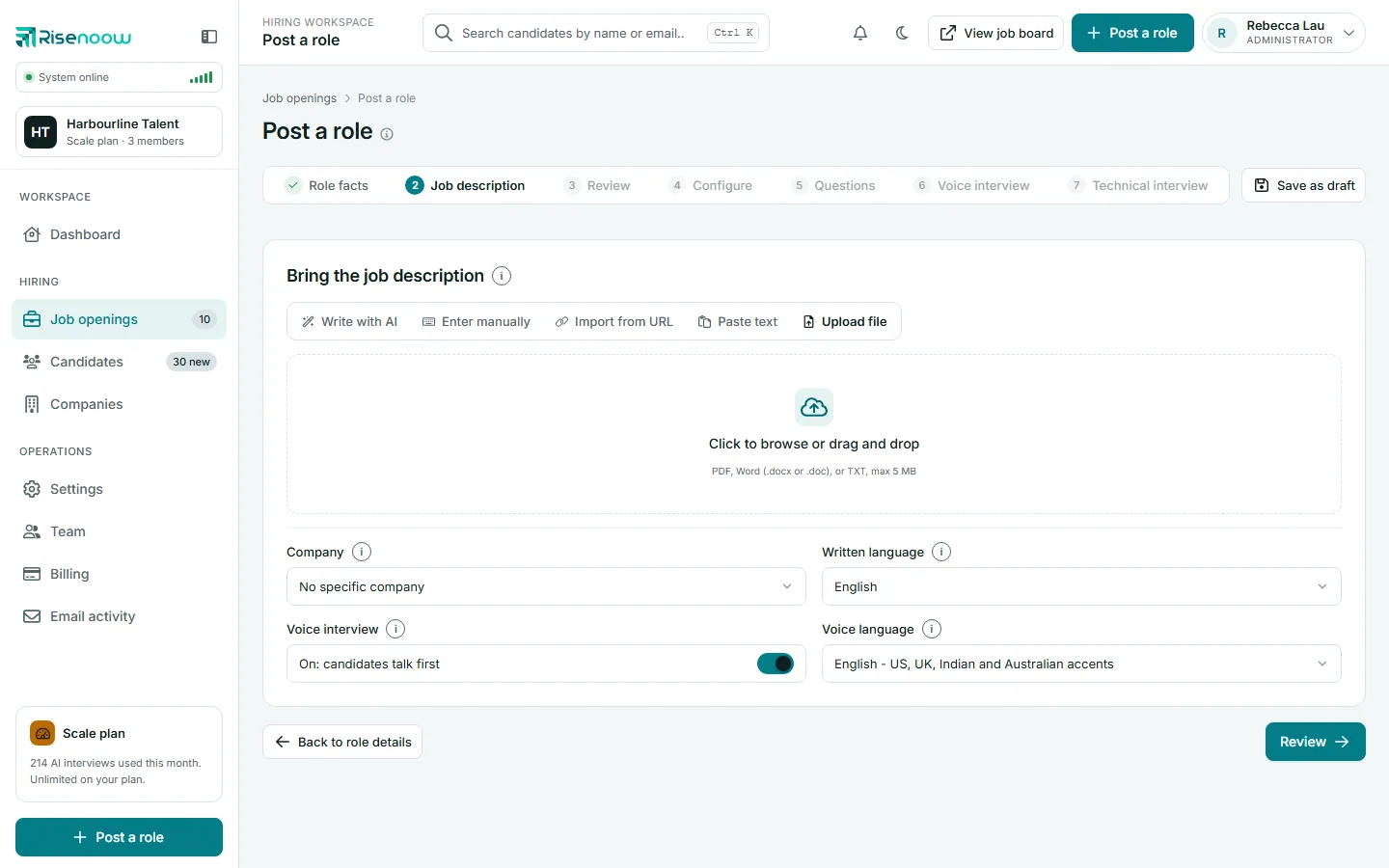
Upload your file
- On step 2, select the Upload file tab.
- Click Click to browse or drag and drop and choose your file, or drag the file onto the box.
- Check the file name and size shown under the box.
- Choose the Company, Written language and Voice interview settings.
- Select Review, or Write it for your company (see below).
A short loading screen appears while the file is read. The Review step then opens with the text and a note naming the file it was extracted from.
Accepted files
| Format | Extension |
|---|---|
| Word | .docx or .doc |
| Plain text | .txt |
The largest file you can upload is 5 MB. One file at a time.
A Word document keeps its paragraphs and bullets when it is read. The AI detects the job title from the text, but the saved role keeps the Job title you typed on step 1.
Good to know
A PDF made from a scan of a paper page may hold pictures of words rather than text. If the result is poor, copy the text into Paste text instead.
Write it for your company
If you chose a Company, a second button appears: Write it for followed by the company name. Use it when the document is a sample from another organisation. The AI writes a fresh description for the same role, for your company, in the standard six sections. It leaves out the sample's company name, team, benefits, pay, customers and markets.
If the upload fails
| Message | What to do |
|---|---|
| "Please choose a file to upload." | No file was chosen. Choose one, then select the button again. |
| "Unsupported file type." | Save the document as PDF, Word or TXT and try again. |
| "File exceeds the 5 MB size limit." | Remove images from the document, or save it as a text file. |
| "Could not extract enough text from the file." | Fewer than 100 characters could be read. Use Paste text instead. |
Frequently asked questions
Can I upload a Google Doc or a Pages file?
Download it as PDF, Word or plain text first, then upload that file.
Is my file stored?
No. The text read from the file becomes the job description you review, and the file itself is not attached to the role. The Review step names the file the text came from.
Why does the text look different from my document?
Fonts, colours, tables and images are not carried across. The words, paragraphs and lists are. Tidy anything else in the editor on the Review step.
What if my file is bigger than 5 MB?
Large files are usually large because of images. Save a copy without images, or as a PDF with smaller pictures, and upload that.