Paste a job description
Paste text is the tab on step 2 of Post a role in Risenoow for a description you already have in a document, an email or another site. You paste it into the editor, the AI tidies the layout without changing a word, and you check it on the Review step.
Where: Post a role, step 2, tab Paste text
Who can use it: Workspace admins and recruiters
Time needed: Under a minute
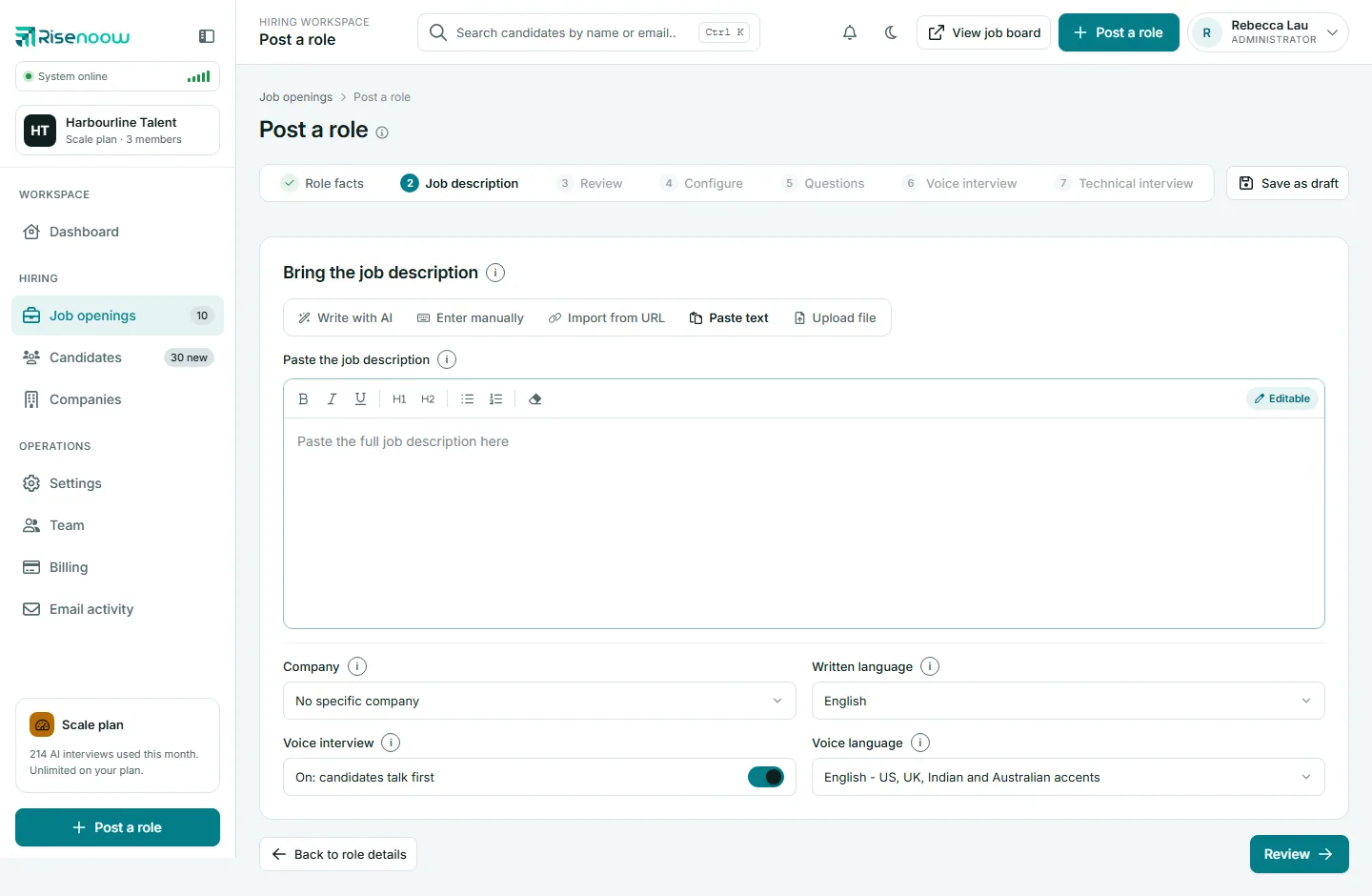
Paste your description
- Copy the full description from wherever it is.
- On step 2, select the Paste text tab.
- Click in the box under Paste the job description and paste.
- Fix anything that looks wrong with the formatting toolbar.
- Choose the Company, Written language and Voice interview settings.
- Select Review, or Write it for your company (see below).
Paste at least a paragraph, 100 characters or more. Shorter text shows the message "Please paste at least a paragraph of the job description (minimum 100 characters)."
What is kept when you paste
| Kept | Left behind |
|---|---|
| Bold and italic | Colours, fonts and sizes |
| Headings | Images |
| Bulleted and numbered lists | Links |
| Paragraphs and line breaks | Scripts and page styling |
Plain text works too. Lines starting with "-" become a bulleted list, and a line that is entirely bold is read as a heading.
How the AI tidies it
After you select Review, a short loading screen says your job description is being formatted. The AI changes the layout only:
- the first line becomes the job title heading
- section labels such as "Responsibilities" become headings
- lists become bullet points
- stray spaces, indents and broken line wraps are cleaned up
It does not add, remove, rewrite, summarise or translate any words. If the tidy up fails, your text is used as you pasted it, so you are never blocked.
The Review step then shows "From the text you pasted", with a note that the job title was detected automatically. The saved role still keeps the Job title from step 1.
Your words stay yours
Paste text keeps your wording exactly. To have the AI rewrite or improve it, use the buttons under Ask AI to adjust it on the Review step.
Write it for your company
If you chose a Company, a second button appears: Write it for followed by the company name. Use it when the pasted text is a sample from another organisation. The AI writes a fresh description for the same role, for your company, in the standard six sections, without the sample's company name, team, benefits, pay, customers or markets.
If you went to Review with the plain Review button and then want this, select Job description in the step bar. Your pasted text is still in the box, so choose the company and select Write it for your company.
Frequently asked questions
Will the AI rewrite my pasted description?
No. It only fixes the layout. Every word you pasted stays as it is unless you ask for changes on the Review step.
Why did my links disappear?
Links are not carried into the editor when you paste. Add the information as text instead, such as the name of the page.
Can I paste from a PDF?
Yes. Copy the text out of the PDF and paste it. You can also upload the PDF itself with Upload file.
The title on the Review step is wrong. Does it matter?
No. The role keeps the Job title you typed on step 1. You can also correct the heading in the editor.