Written questions
The written questions are the main part of a Risenoow application. They come one card at a time under the heading Tell us about your experience., and each card groups a few related questions on one theme. This page explains each kind of question and how to move through them.
Where: The Role questions stage, after the requirement questions and the voice interview
Who sees them: Every applicant
Time needed: Most of the application time
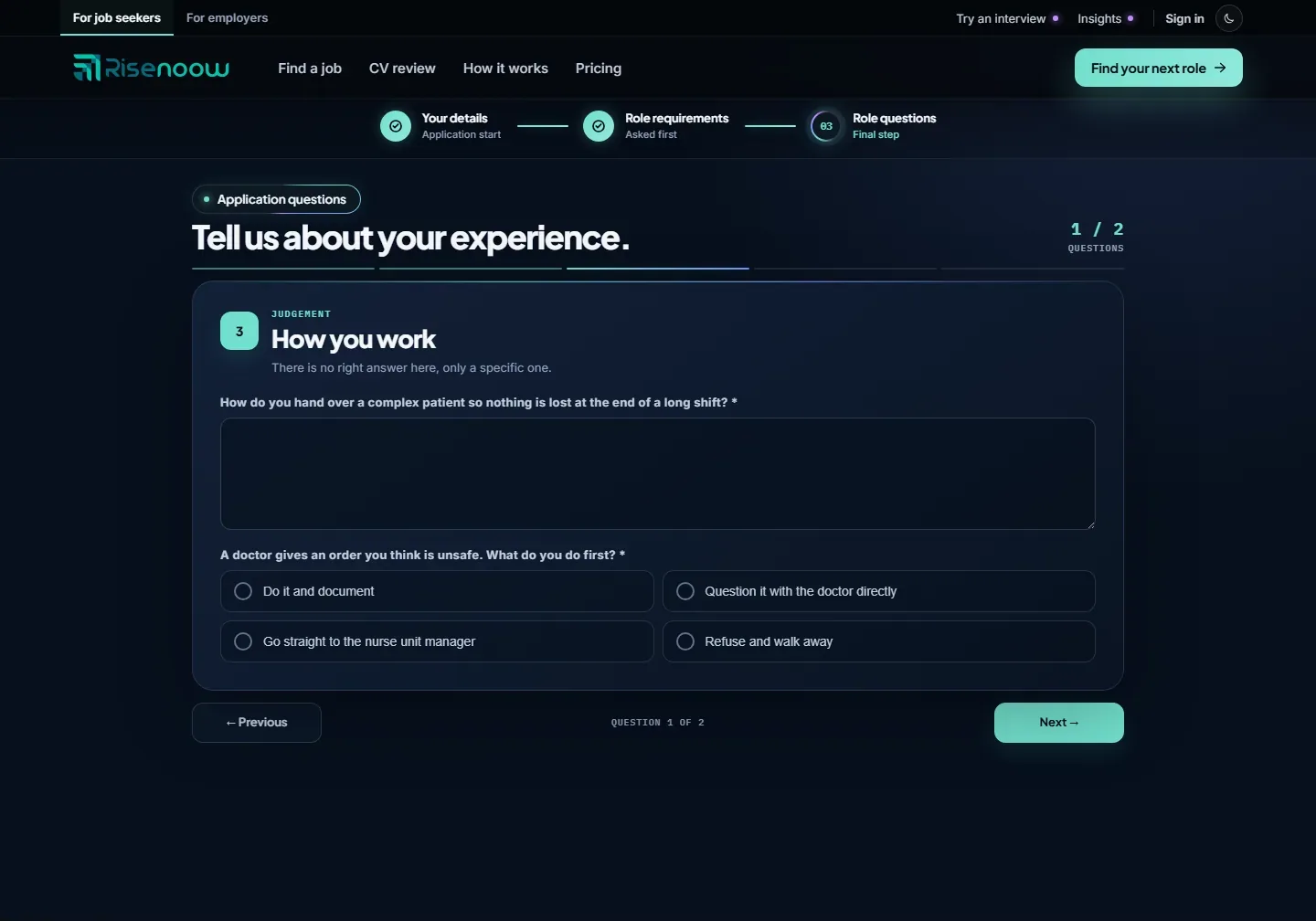
What each card shows
| Part | What it means | |
|---|---|---|
| Number and theme | The card's place in the application and a small label, such as Judgement or Motivation. | |
| Title and subtitle | What the card is about, sometimes with a line from the employer on what they look for. | |
| Asterisk | A question marked * must be answered before you can move on. | |
| Counter | 1 / 2 Questions at the top and Question 1 of 2 at the bottom say where you are. |
Each kind of question
Short answer
A single line for a brief answer, such as a job title or a number. Type and move on.
Long answer
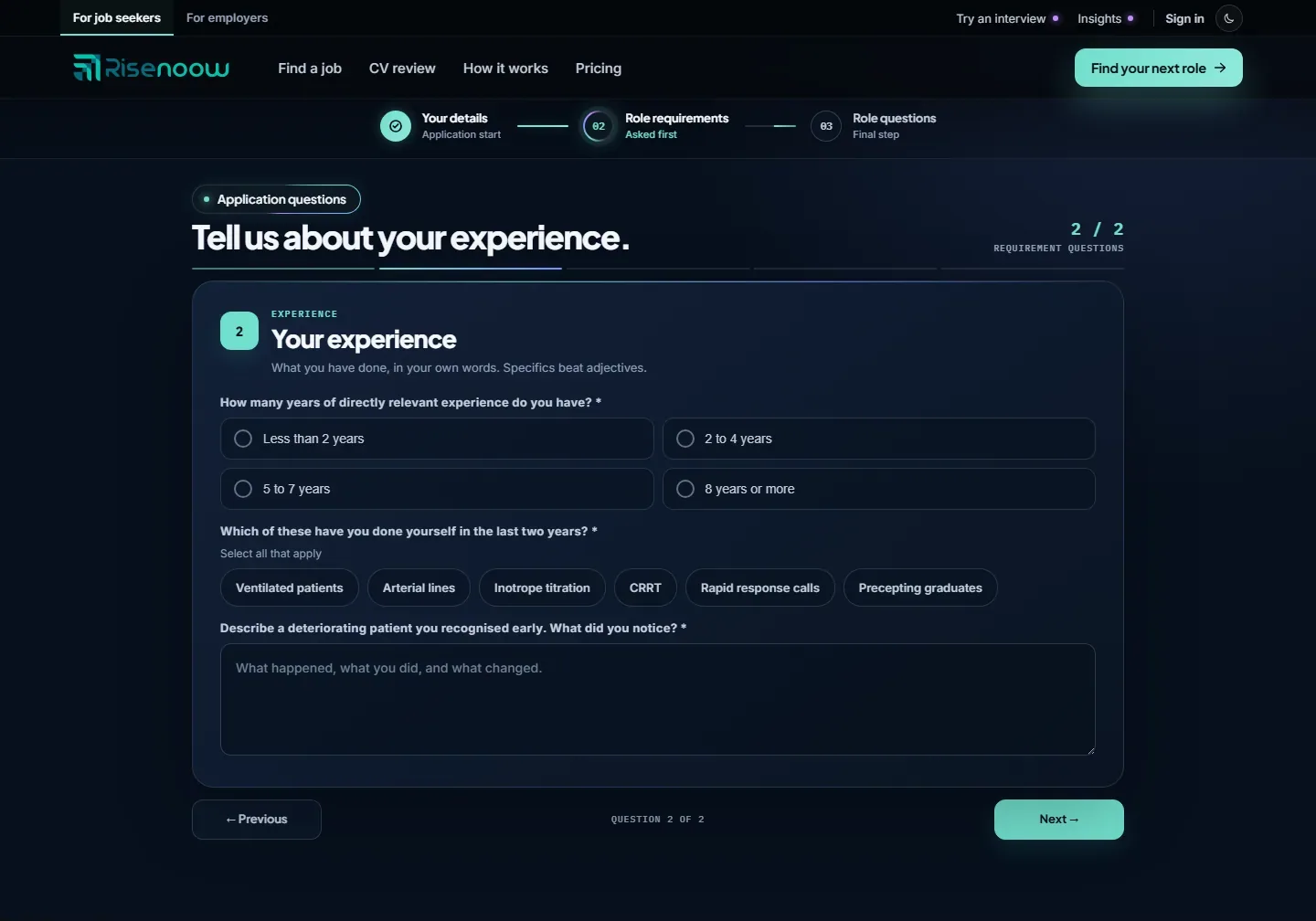
A larger box for a few sentences or more. The grey text inside the box is a hint from the employer, such as "A few sentences is plenty." It disappears when you start typing. The box grows if you drag its corner.
Single choice
A set of round options. Select one. Choosing another replaces your first choice. On a keyboard, Tab moves into the group and the arrow keys move between options.
Multiple choice
A row of buttons under the words Select all that apply. Select every option that is true for you. A tick appears on each one you pick. Select it again to remove it.
Rating grid
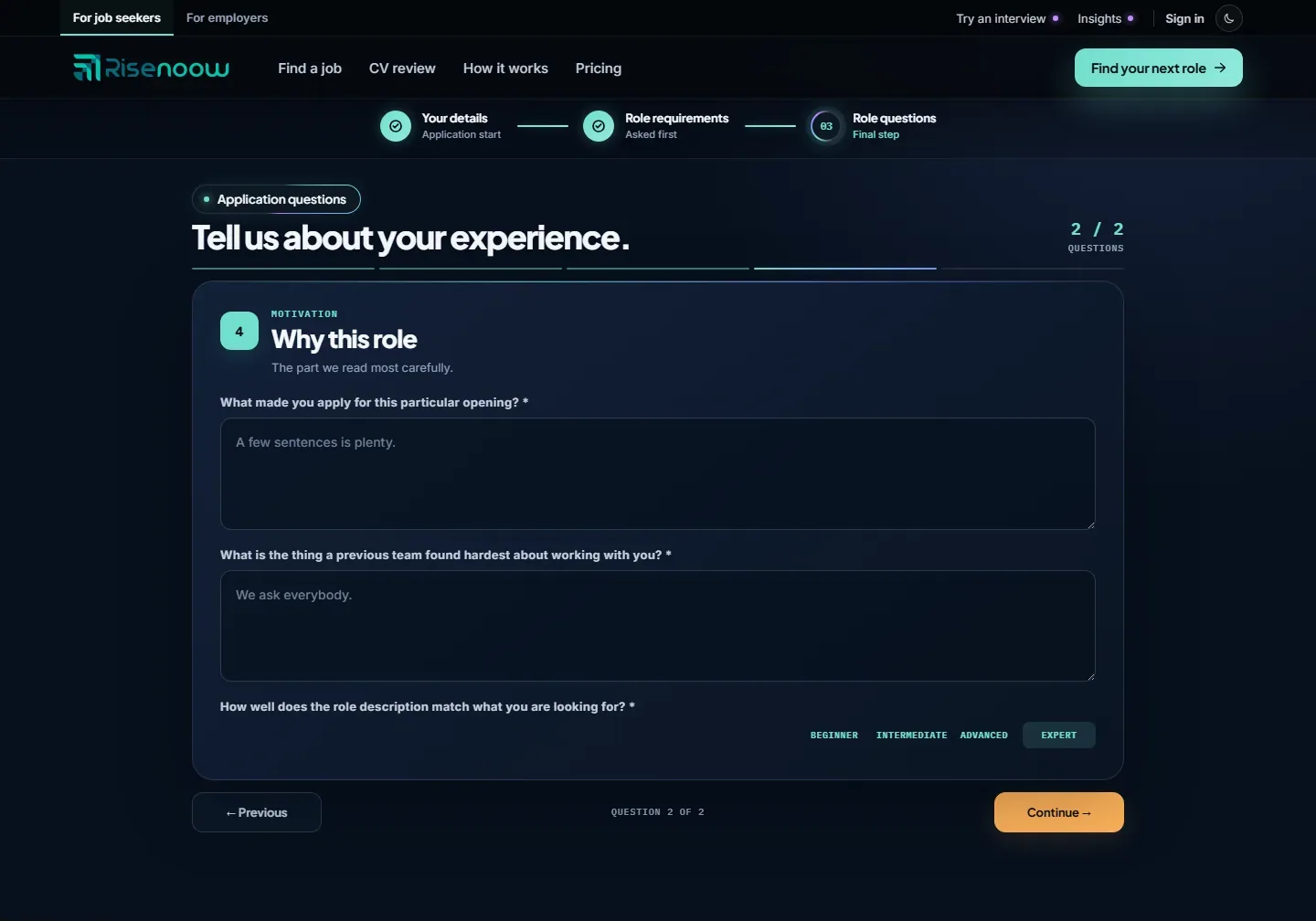
A grid with a row for each skill or item and four columns: Beginner, Intermediate, Advanced and Expert. Select one dot in each row to rate yourself. Selecting a column heading sets every row to that level at once, and you can then change single rows. When the employer has not listed any items, the grid has one row named Your answer.
Move through the questions
- Answer every question marked * on the card.
- Select Next to go to the following card. Previous takes you back, and your answers stay as you left them.
- On the last card, select Continue. Risenoow then prepares your follow up questions.
If a required question is empty, you see "Please answer this question before continuing." or, when several are empty, how many still need an answer. The page scrolls to the first one.
If the page reloads or closes
Your written answers are kept in this browser for 14 days until you submit. Open the same application link on the same device and they are filled back in. Your CV is not kept, so you choose it again on the details screen.
Tips for strong answers
- Be specific. A real example with what you did and what changed says more than a list of qualities.
- Use your own words. The hiring team reads your answers next to your interview and your CV.
- Answer the question asked. If a card asks for one example, give one good one.
- Be honest in self ratings. A rating that matches your examples is more convincing than a row of top marks.
Frequently asked questions
Can I go back and change an answer on Risenoow?
Yes. Select Previous to return to any earlier card before you submit. Your answers stay filled in.
Is there a word limit on long answers?
No limit is shown on the written answer boxes. A few clear sentences with a real example is usually enough.
Why can't I move to the next question?
At least one required question on the card has no answer. The message under the card says how many, and the page moves to the first one.
Can I save my answers and finish later?
Yes, on the same device and browser. Your written answers are kept for 14 days and filled back in when you open the same application link. Choose your CV again, then carry on.