How Risenoow works
Risenoow interviews every applicant for you. You describe a role once, the AI writes the job description and the screening, each candidate answers written questions and a short AI voice interview, and your team reads a scored report built from the candidate's own words. A person on your team makes every hiring decision.
For: Employers and job seekers
Time to read: About five minutes
In one line: Describe the role once, read evidence instead of piles of CVs
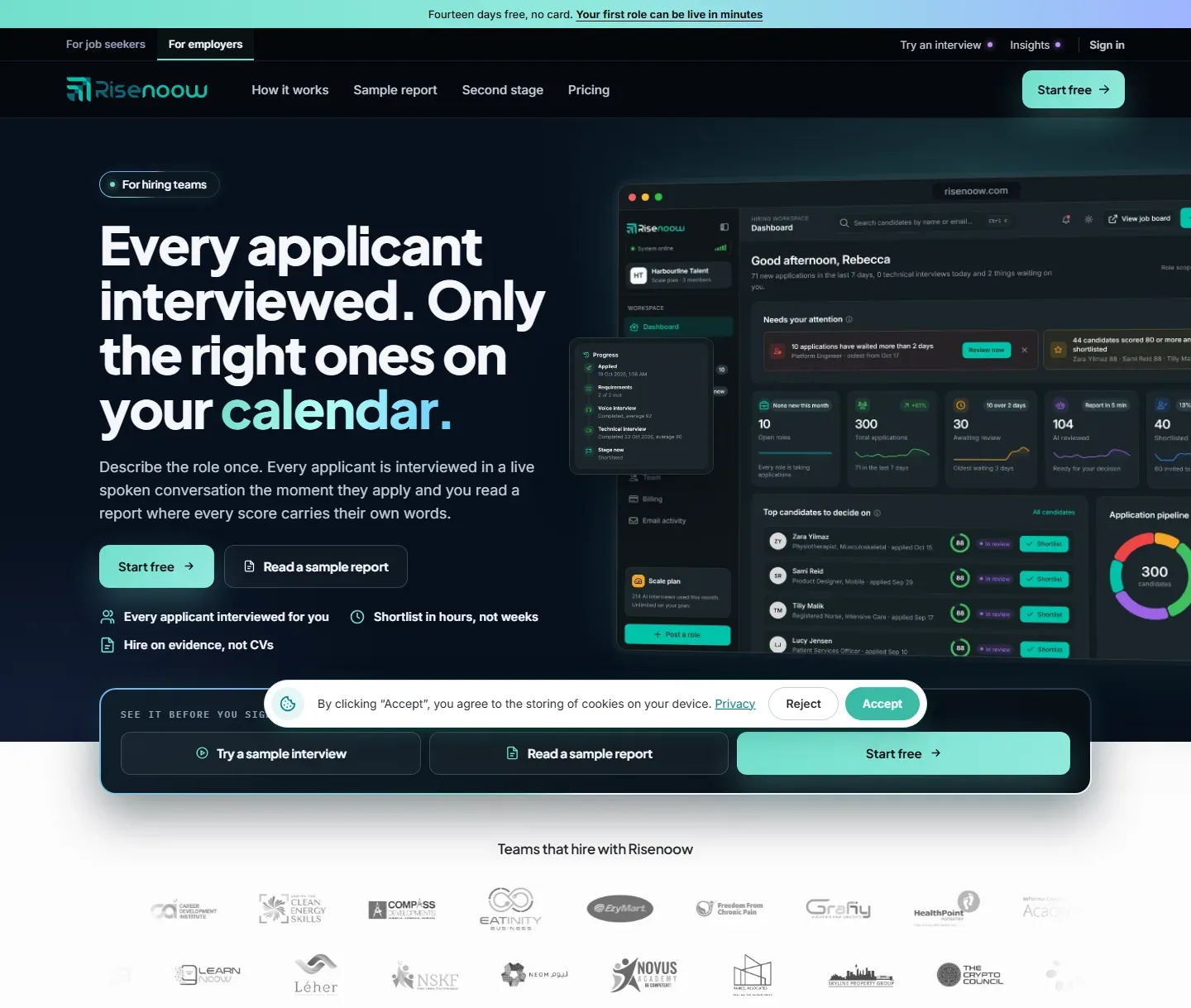
For employers: from role to shortlist
- Create your workspace. Sign up with your work email, confirm the six digit code we send you, then name your workspace. See Create an employer account.
- Finish the first run setup. Add your details and the company you hire for. See First run setup.
- Post a role. Select Post a role. Give the role facts, then write the job description with the AI, paste one, upload a file or import it from a link. The AI then builds the written questions and the voice interview script. You review and edit everything. See Post a role.
- Preview and publish. A role is a draft until you publish it, so nothing reaches candidates by accident. See Preview and publish.
- Share the link. Each published role has its own application link you can share, and a role can also be listed on the public job board. See Share a role.
- Candidates apply and are interviewed. Each applicant answers your questions and talks to the AI interviewer, at any hour. You do not book anything.
- Read the report. The AI reads everything the candidate gave you and writes a scored report. Your hiring team is emailed when it is ready, and the candidate appears under Candidates.
- Decide and move people forward. Set each candidate's stage, add notes for your team, and invite the people you shortlist to a second stage technical interview with the camera on.
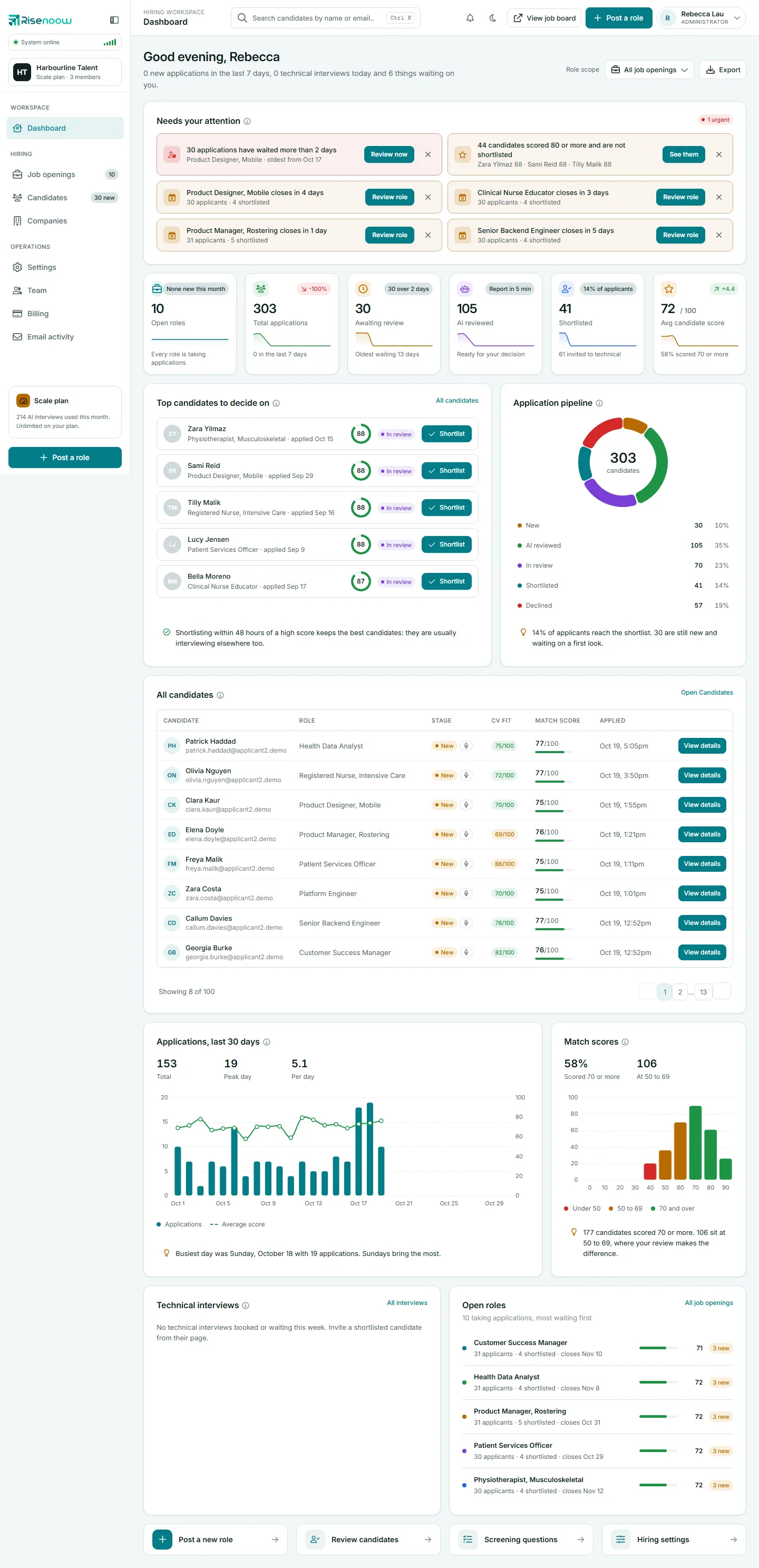
What a candidate moves through
Every application sits in one stage at a time. The dashboard counts them in its Application pipeline chart.
| Stage | What it means |
|---|---|
| New | The application has arrived and nobody has moved it on yet. |
| AI reviewed | The AI has finished its report, ready for you to read. |
| In review | Someone on your team is looking at it. |
| Shortlisted | You want to take this person further. |
| Declined | You have decided not to go ahead. |
For more detail, see Application stages.
For candidates: applying for a role
- Find a role. Browse the public job board at risenoow.com/template/jobs.php, or open the link an employer shared with you.
- Start your application. Enter your full name and email address, add your CV when the role asks for it, and agree to the terms. Then select Start application.
- Answer the role requirements. Some roles ask a few questions about must have requirements. These come before anything else.
- Talk to the AI interviewer. When the role uses a voice interview, you have a short spoken conversation in your browser. You hear a sound check first.
- Answer the role questions. These are the written questions the employer chose for the role.
- Answer your follow up questions. The AI writes a few questions just for you, based on what you have said so far, so you can add detail where it helps.
- Submit and follow your application. You get a confirmation email with a link to set your password. That opens your candidate portal, where you can see where each application stands.

Good to know
The steps across the top of the application page change with the role. A role without requirement questions or without a voice interview simply skips that step.
What the hiring team reads
The report brings together the written answers, the interview, the follow up answers, the CV and the cover letter, and scores them as one picture of the person. Every score opens the candidate's own words behind it, so you can check it rather than take it on trust.
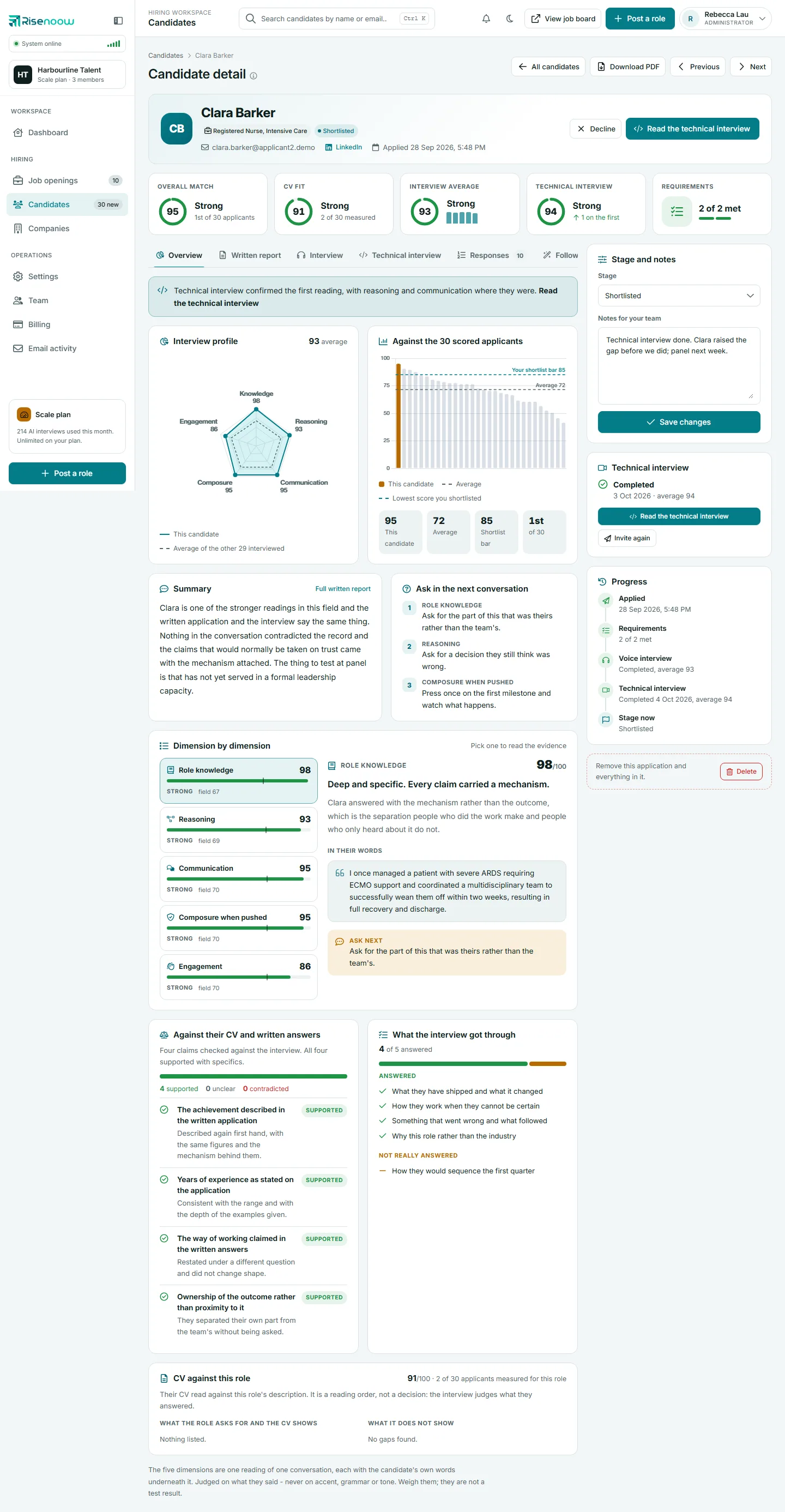
To learn how the numbers are worked out, see How scoring works.
Frequently asked questions
Does Risenoow decide who gets hired?
No. Risenoow reads, scores and recommends. A person on your team makes every decision, including who is shortlisted and who is declined.
Do I have to schedule the first interviews?
No. Every applicant is interviewed by the AI interviewer as part of applying, at any time of day. You only book time with the people you want to meet.
Can candidates apply without a voice interview?
Yes, when the employer has turned the voice interview off for that role. The application then has written questions only.
How do candidates follow their applications?
After applying, a candidate gets an email with a link to set a password. That opens the candidate portal, which lists every role they applied for and its current stage.
Is Risenoow free for job seekers?
Applying for a role is free. For what the paid candidate plans add, see the candidate pricing page.