Billing and plan
The Billing page in Risenoow shows your plan, what your workspace has used this billing period, where the current pace is heading, and your invoices. It is also where you choose a plan and reach Manage billing, the secure page where your card and invoices are kept.
Where: Billing in the left menu, under Operations, or Plan and billing in the account menu
Who can use it: Workspace admins only
Time needed: 2 minutes to read
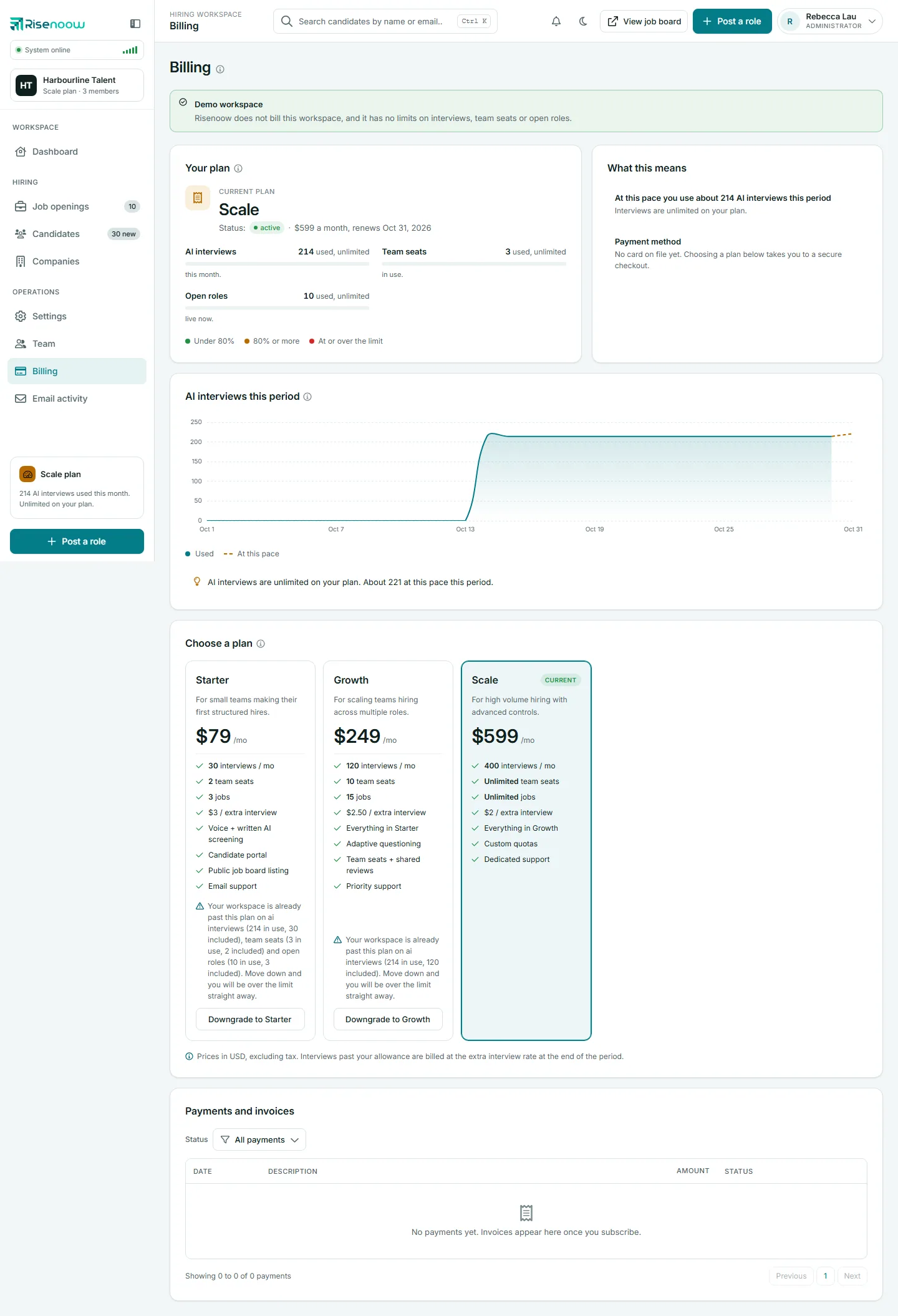
Your plan

The card's subtitle says when interview usage resets. Under Current plan you see the plan name and its Status:
| Status | What it means | |
|---|---|---|
| active | The plan is paid and running. The line shows the monthly charge and the renewal date. | |
| trial | You are on the free trial. The line shows when the trial ends. | |
| past_due | The latest payment failed. Update your card in Manage billing. Voice interviews may pause until it is fixed. | |
| cancelled | The plan has ended. New AI interviews do not start. |
Below that are three meters, for AI interviews, Team seats and Open roles. Each is green under 80 percent, amber at 80 percent or more, and red at or over the limit. Plan usage explains each meter.
What this means
This card turns the numbers into plain sentences:
- At this pace you use about N AI interviews this period, with whether that fits your allowance or how far over it would go.
- The next plan up, with what it includes, when there is a larger plan.
- Payment method: the card on file, or "No card on file yet. Choosing a plan below takes you to a secure checkout."
AI interviews this period
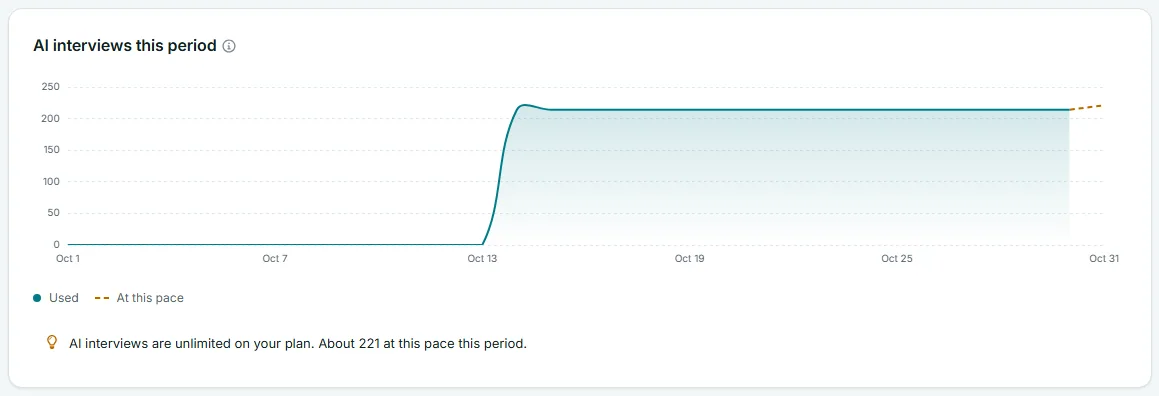
The chart shows interviews used day by day this period (Used) and a projection to the end of the period (At this pace). When your plan has a limit, a Plan limit line is drawn too. A sentence under the chart sums it up, and turns into a warning when the pace would take you past your allowance.
Choose a plan
This card lists the plans you can move to, with what each includes. Your plan is marked Current. Each other plan has a button: Upgrade to, Downgrade to or Switch to, followed by the plan name. Checkout and plan changes happen on a secure payment page. For the steps, see Change or cancel a plan. For current prices, see the pricing page.
Payments and invoices
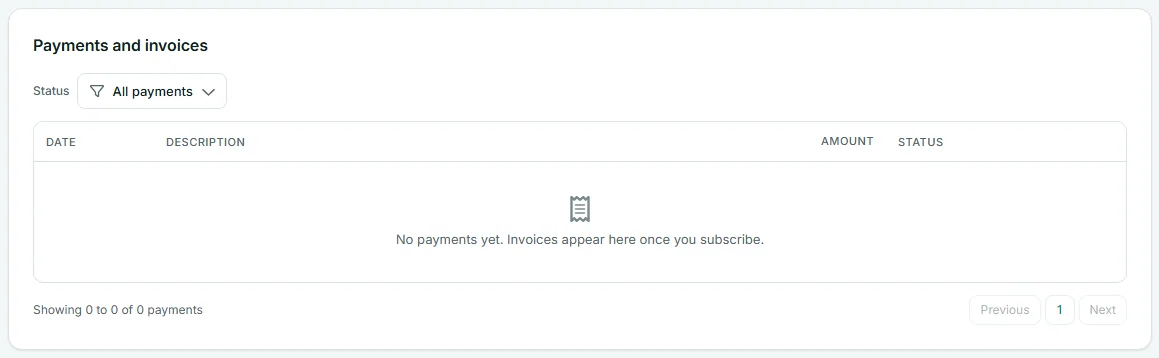
| Column | What it shows |
|---|---|
| Date | When the invoice was created. |
| Description | What it was for, with the invoice number underneath. |
| Amount | The amount due. |
| Status | Paid, Upcoming, Void or Failed. |
| Download | Invoice opens the PDF, or Not issued yet. |
Use the Status filter to show one kind of payment. Select a column heading to sort.
Manage billing
Once your workspace has subscribed, a Manage billing button appears at the top of the page and in the Your plan card. It opens our payment provider's secure billing page, where you change your card and see your billing history.
Workspaces Risenoow does not bill
Some workspaces are hosted without billing. They show a green banner: "Risenoow does not bill this workspace, and it has no limits on interviews, team seats or open roles."
Frequently asked questions
Who can see the Billing page?
Workspace admins only. Recruiters do not see it in the menu.
Where do I download an invoice?
In Payments and invoices, select Invoice on the row you need. The PDF opens in a new tab.
When does my interview count reset?
On the date in the Your plan subtitle. Your allowance is monthly, counted from your subscription date, or from the first of the month when you have no subscription.
Does Risenoow store my card?
No. Card details are handled on our payment provider's secure page. The Billing page only shows the card type, last four digits and expiry.