Step 7: Check the technical interview
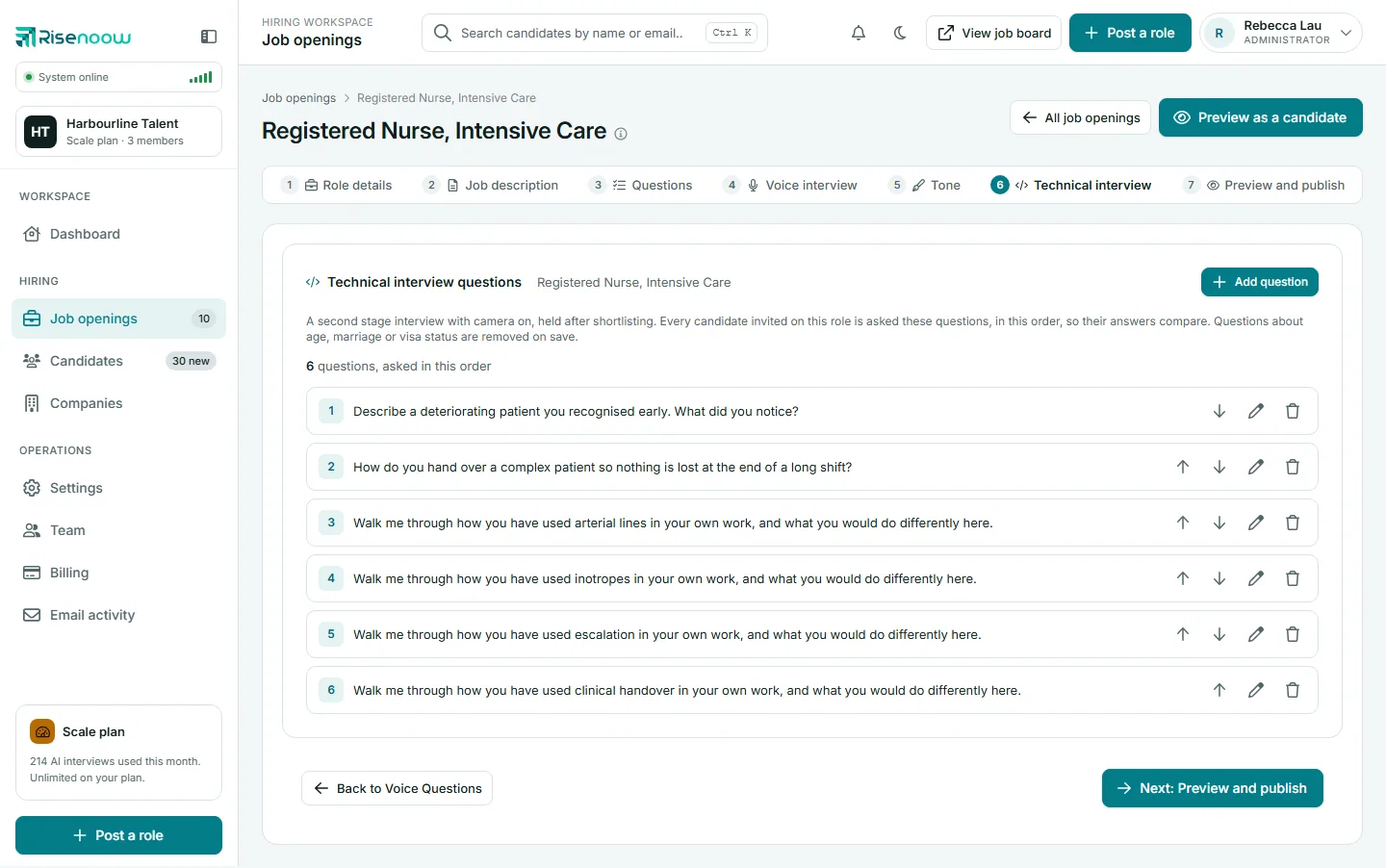
Technical interview is the last step of Post a role in Risenoow. It lists the questions for the second stage interview, held with the camera on after you shortlist a candidate. You check and edit them here, then select Finish: preview and publish. It is the same screen as the role's Technical interview tab, with the Post a role steps on top.
Where: Post a role, step 7 (step 6 when the role has no voice interview)
Who can use it: Workspace admins and recruiters
Time needed: Two to five minutes
What the technical interview is
The technical interview is a separate, later stage from the voice interview. Nobody takes it when they apply. You invite a candidate, usually after shortlisting, and every candidate invited for this role is asked these questions, in this order, so their answers compare.
The AI wrote the number you chose on step 4, between 4 and 8, in the role's written language. Each question:
- asks for something specific the candidate did, decided or would do, never a definition or a yes or no
- names a tool, task or responsibility from your job description
- is one sentence, short enough to read aloud
- covers a different topic from the written and voice questions
Edit the questions
- Read the list from top to bottom.
- Use the arrows to change the order.
- Select the pencil to edit a question, or the bin to delete it.
- Select Add question to write your own. You can add several at once, one per line, up to eight in total.
- Select Finish: preview and publish.
A question can carry an image, such as a diagram or screenshot, shown at the top right of the candidate's screen while it is asked. PNG or JPG, up to 2 MB, added one question at a time.
Some questions are removed on save
Questions about age, marriage, gender, nationality, visa status, relocation, security clearance or years of experience are removed when saved, and a notice says which line was removed and why.
Fewer than three questions
An interview needs at least three questions. With fewer, an amber notice says Interviews need at least three questions. Invitations cannot be sent until then.
If the AI could not write the set, the list is empty. Select Draft with AI to write a set from the job description, or Add first question to write your own.
Finish
Finish: preview and publish opens the role's preview. Read the role as a candidate will, then publish it. The back button returns to the voice interview step, or to the questions when the role has no voice interview.
Frequently asked questions
When do candidates see these questions?
Only when you invite them to a technical interview, which you can do at any stage. They are not part of the application.
Can I change these questions after candidates are invited?
Yes, but while an invitation is out, the role must keep at least three questions.
Why was my question removed?
It asked about something an interview must not ask, such as age, visa status or years of experience. The notice names the reason. Ask about what the candidate did instead.
Does a role without a voice interview still get a technical interview?
Yes. The two are separate stages. Turning off the voice interview does not change the technical interview.