Resume review
Resume review in the Risenoow candidate portal scores your CV against one job you are aiming for, out of 100. It then shows what your CV already proves, what is missing and how to close each gap, asks you a few questions, and can rewrite your CV from your own words.
Where: Resume review in the left menu
Who can use it: Every job seeker account, within your plan's CV reviews
Time needed: About thirty seconds per score, a minute per rewrite
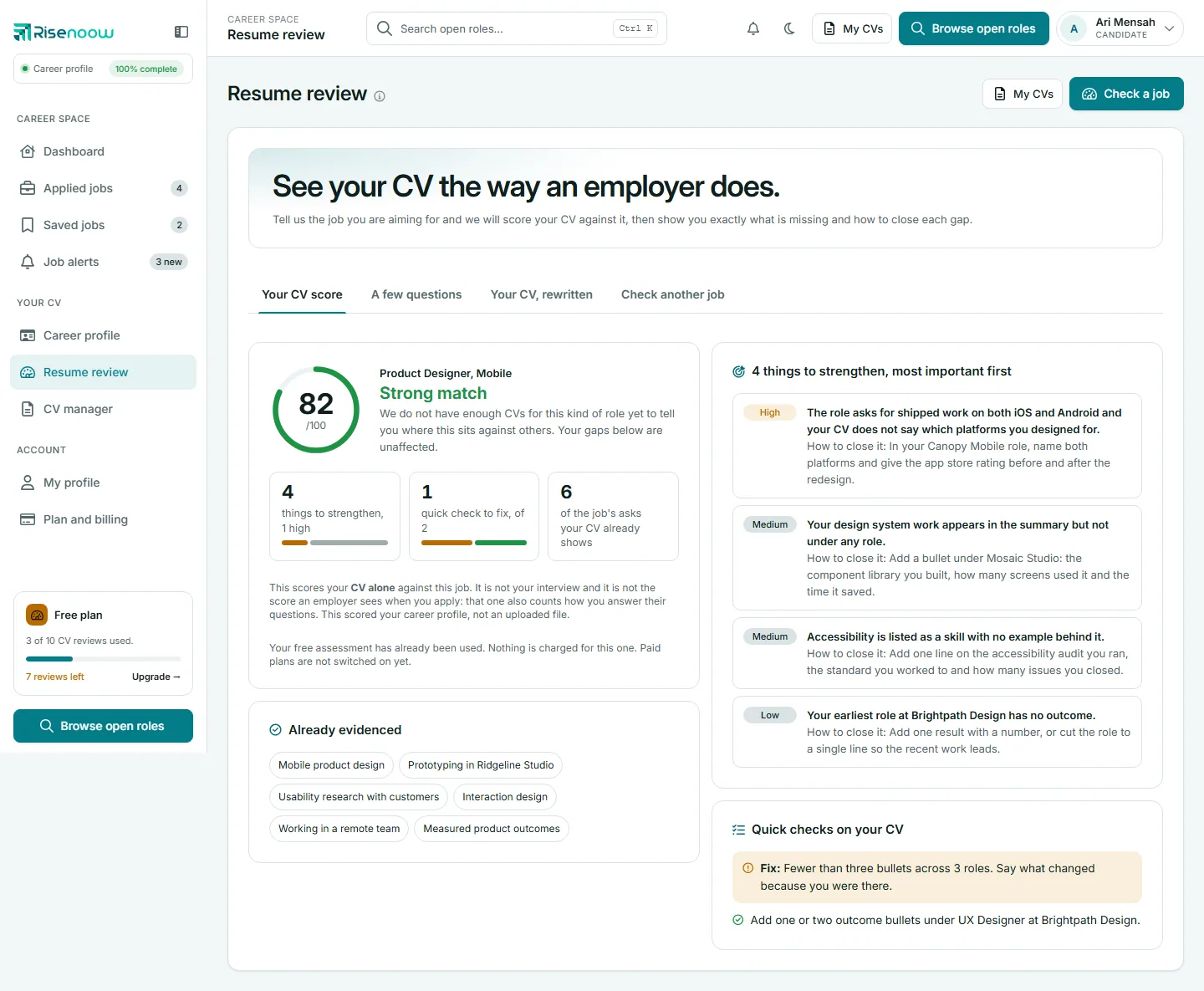
This score is private, and it is not the employer's score
Your resume review score reads your CV alone against one job. It is not your interview, and it is not the score an employer sees when you apply: that one also counts how you answer their questions. Your reviews and your answers on this page are never shown to an employer.
The page has four tabs: Your CV score, A few questions, Your CV, rewritten and Check another job.
Check a job
- Select Check a job at the top right, or open the Check another job tab.
- Type the Role title.
- If you have both a CV and a career profile, choose Which version of you should we score?: My uploaded CV or My career profile.
- Under How are you giving us the job?, choose one:
- I will paste the job description: paste the whole advert. This gives the best result.
- I have a link to it: paste the web address.
- I only have the role title: no advert needed.
- Select Score my CV and wait about thirty seconds.
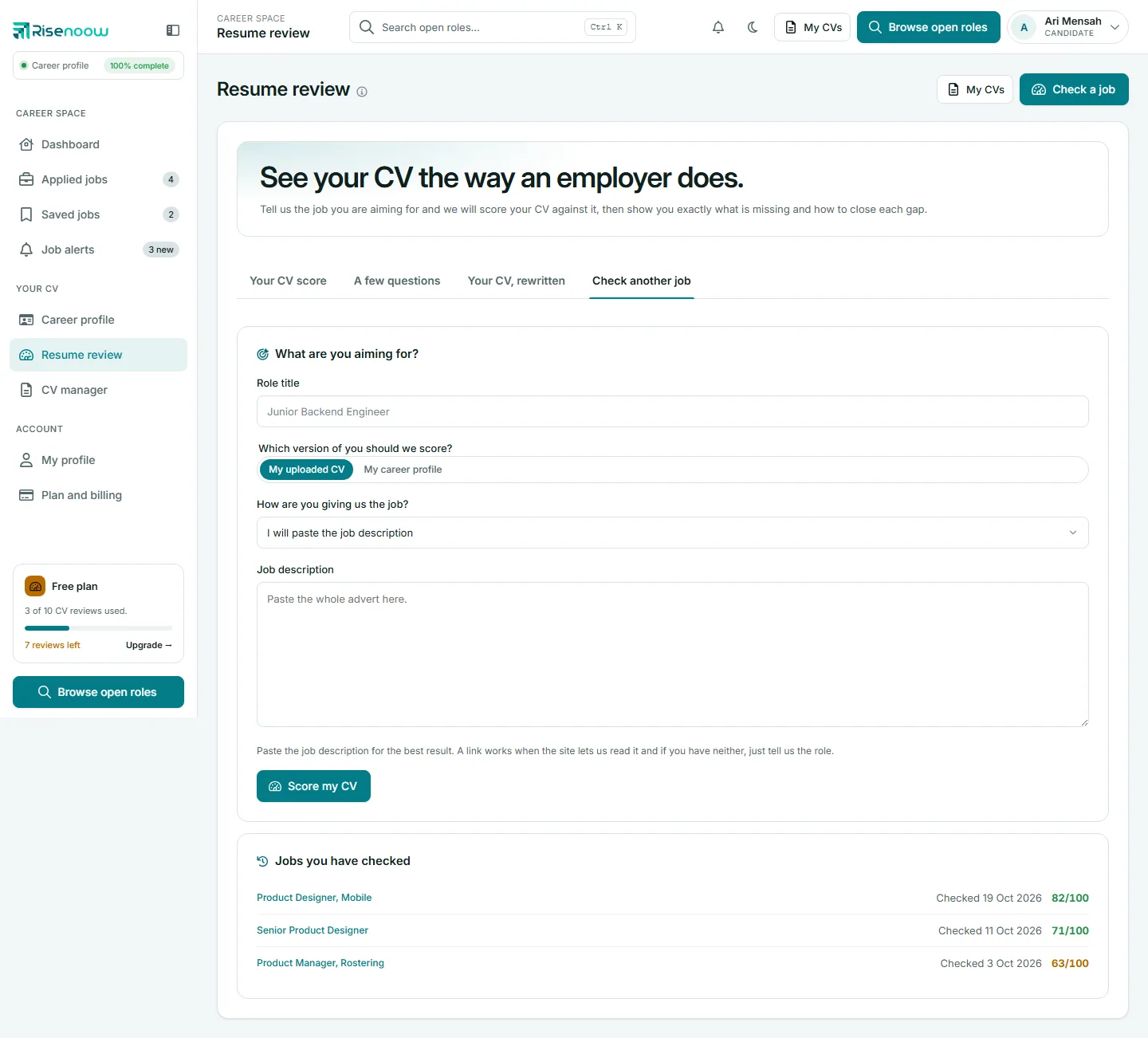
Some job sites cannot be read from a link. If so, the page asks you to paste the description instead, keeping your role title. With only a role title, the score is an estimate against a typical advert, and the page says so. The CV used is your default in the CV manager.
Your CV score
| Part | What it shows |
|---|---|
| The score | Out of 100, with Strong match at 70 and over, Partial match from 50, Weak match below 50 |
| Benchmark | Where your score sits against other CVs Risenoow has assessed (see below) |
| Breakdown | Things to strengthen, quick checks to fix, and how many of the job's asks your CV already shows |
| Already evidenced | What the job asks for that your CV clearly shows |
| Things to strengthen | Each gap marked Critical, High, Medium or Low, most important first, with How to close it |
| Quick checks on your CV | Plain document checks, such as a missing email, a role with no dates or too few numbers. Ones marked Fix: come first |
The benchmark
The benchmark compares your score with CVs Risenoow has already assessed. It gives a position, such as "Your CV is in the top 20%", and the median only once there are at least 30 comparable scores. The sentence says what it compared against: CVs assessed "for similar roles" when there are enough of them, otherwise CVs assessed "across all candidates". Until then it says it does not have enough CVs for this kind of role yet.
A few questions
This tab asks three to five questions about your CV and this job, such as the number behind a claim. Answer in a sentence or two and select Save my answers.
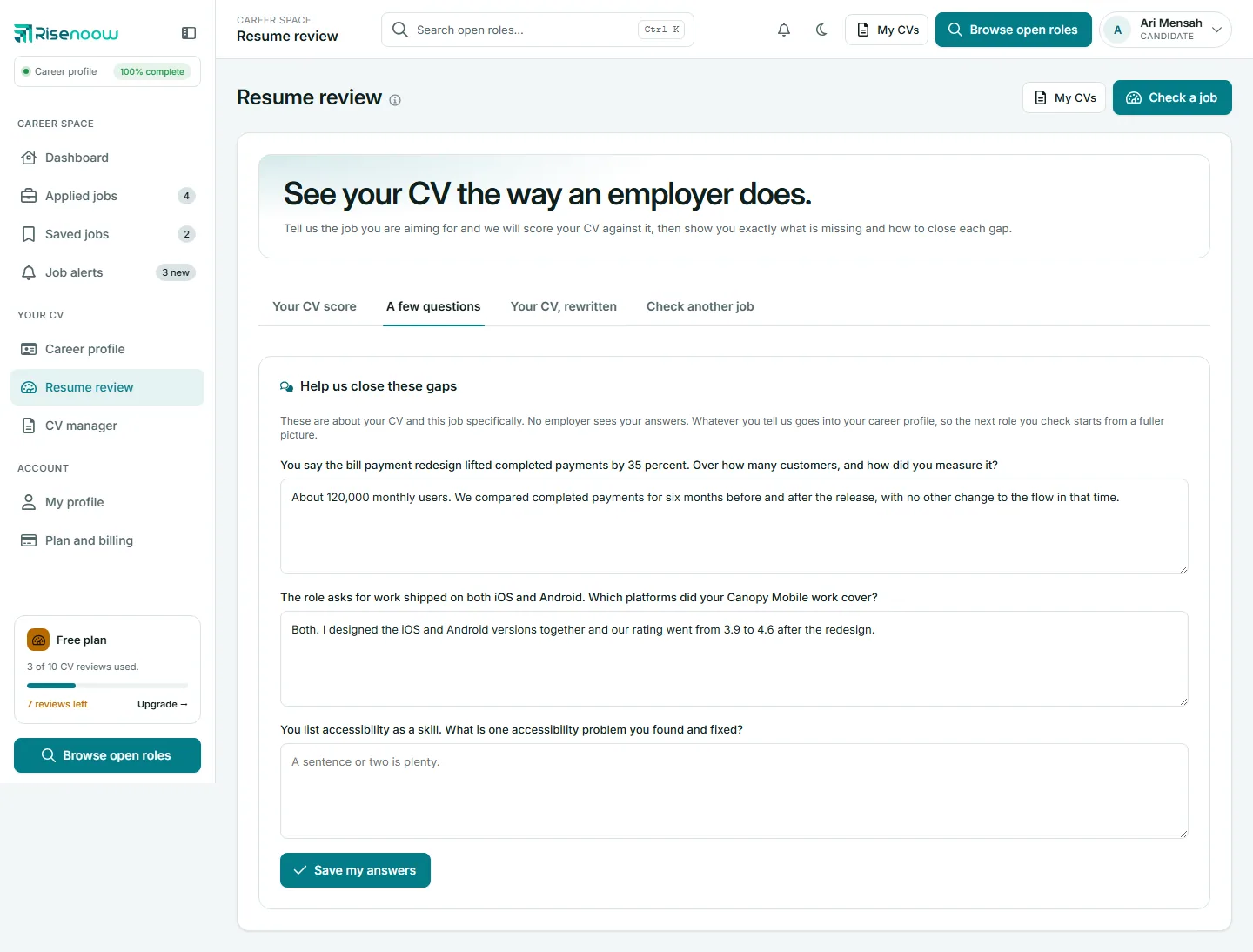
No employer sees your answers.
Talk it through with the CV coach
When your plan includes guided CV sessions, the Your CV score tab also shows a Talk it through with the CV coach card. It offers a guided voice session on this job's gaps, says how many sessions you have left, and has a Start a guided CV session button. What you say is kept as your answers and added to your career profile.
Your CV, rewritten
Under Enhance my CV, select Rewrite from what I have written and wait about a minute. The rewrite uses what your CV already says and your answers to A few questions. Nothing is invented: every line traces back to your own words. The new version is scored against the same job, for example "82 to 89 out of 100", and What changed and why a recruiter cares lists each line before and after.
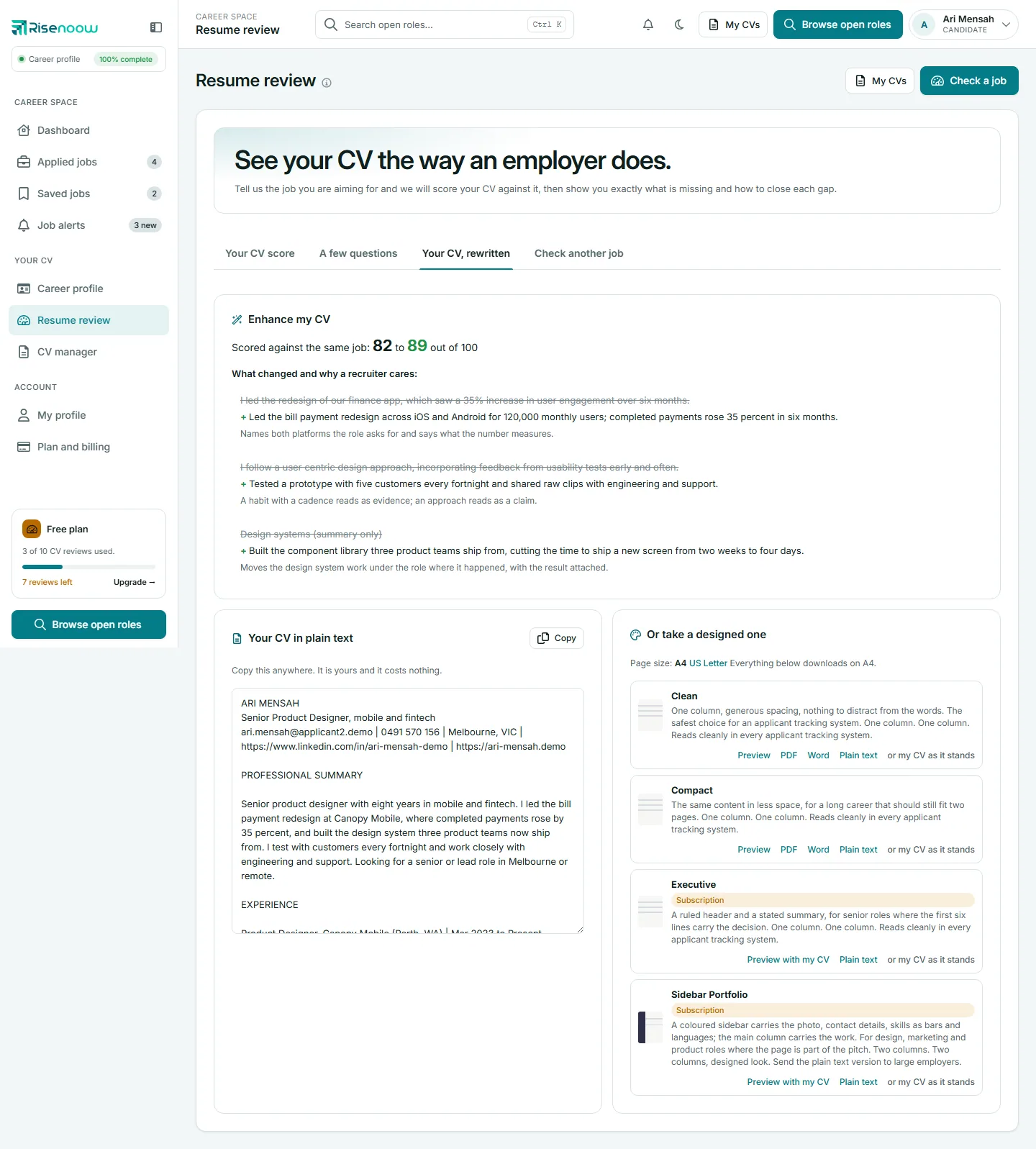
Under Your CV in plain text, select Copy: it is yours and costs nothing. Under Or take a designed one, choose A4 or US Letter, then Preview, PDF, Word or Plain text on a template. or my CV as it stands shows your original CV instead. Templates marked Subscription offer Preview with my CV and Plain text. See CV manager.
Jobs you have checked and queued reviews
Under Check another job, Jobs you have checked lists each review with its date and score. Select one to open it again.
If a review cannot finish while you wait, it shows queued, being retried and is tried again automatically, up to three times. The page says "We will email you when it is ready", and the finished review also appears here. could not assess means it failed for good, usually because the CV could not be read. Upload it again as a PDF or Word file with selectable text, not a scan. A review that failed on our side does not use one of your CV reviews.
The email after you apply
When you apply for a role with a CV attached, and you have CV reviews left, Risenoow also reviews your CV against that role. This review counts toward your CV reviews. You hear about it by email in one of two ways:
- In your application confirmation email, when the review finishes straight away. It names your score and the two most important things to strengthen, with a See the rest of your analysis link.
- In a separate email titled "Your CV scored" with the score and role, when the review finished later. It names the two biggest things to strengthen and has a See everything we found button that opens the review here. It also confirms your application went to the employer exactly as you sent it.
A review you start yourself on this page usually opens on screen. If it was queued and finishes in the background, you are emailed when it is ready.
Frequently asked questions
Is my CV score the score employers see?
No. It measures your CV alone against one job, for you. The score on an application also counts how you answered the employer's questions. See Scores explained.
Why does my score say estimate?
You gave only a role title, so the score is measured against a typical advert for that role rather than a real one. Paste the real advert for a firmer number.
Will the rewrite make things up?
No. It only uses what your CV says and what you told it in A few questions.