Stage and notes
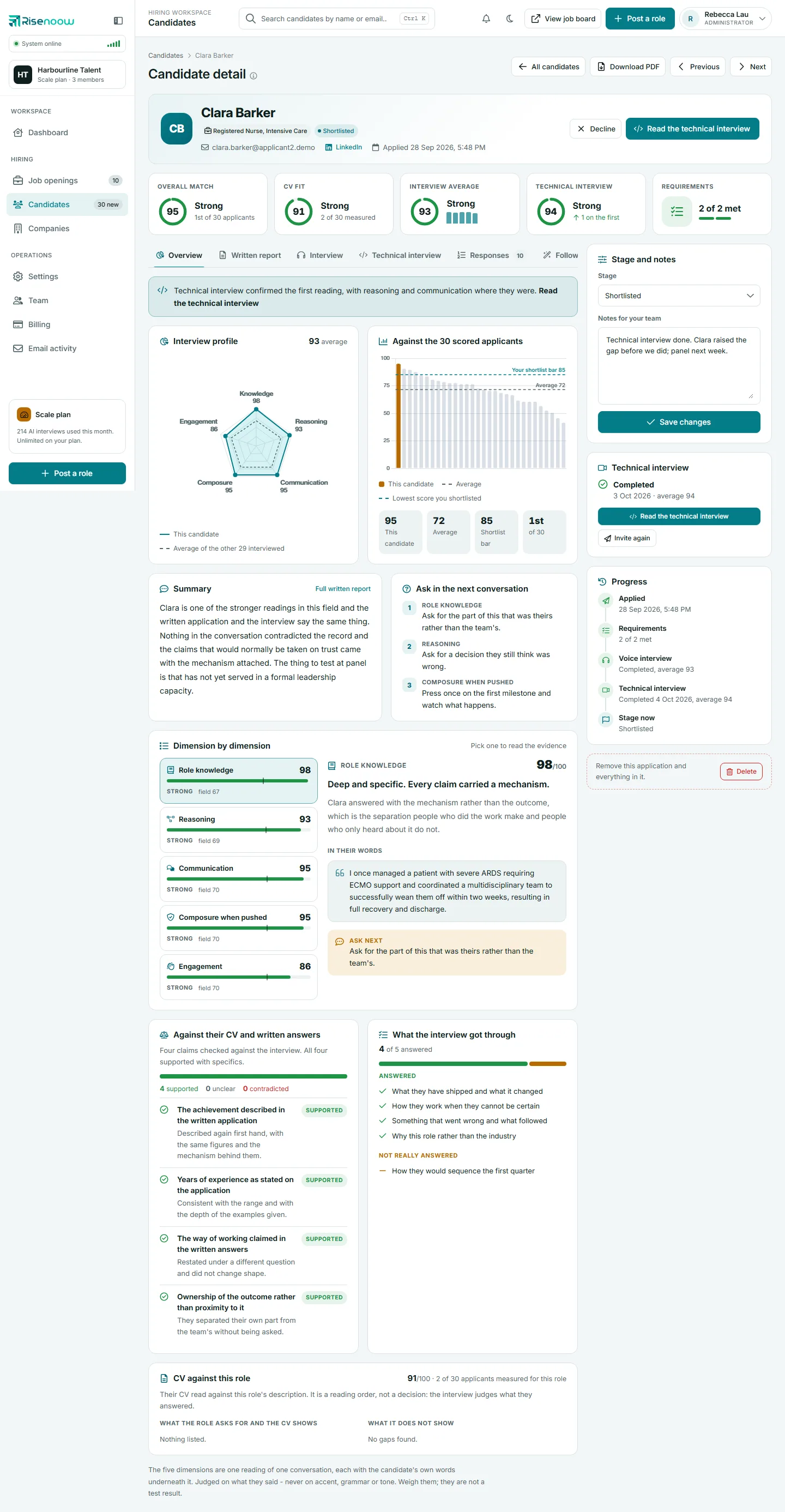
The Stage and notes card on a Risenoow candidate record is where you decide what happens next: set the candidate's stage in the hiring pipeline and keep private notes for your team. It sits beside the record on every tab, so the decision is always one step away from the evidence.
Where: Candidates in the left menu, open a candidate, then the Stage and notes card on the right
Who can use it: Admins, and recruiters on the roles they can see
Time needed: Under a minute
The five stages
Every application is in one of five stages. The same names are used in the candidate list, the dashboard, the PDF and the CSV export.
| Stage | What it means | How a candidate gets there |
|---|---|---|
| New | Applied, not yet assessed. | Automatically, when the application arrives. |
| AI reviewed | The AI report and score are ready for you. | Automatically, when the analysis finishes. |
| In review | Someone on your team is looking at them. | You set it. |
| Shortlisted | You want to take them further. | You set it, or use Shortlist. |
| Declined | Not taken further for this role. | You set it, use Decline, or an Auto decline requirement does it. |
Running the analysis again never undoes a decision: the candidate keeps their current stage, and only a candidate still at New moves to AI reviewed.
The stage shows as a coloured tag beside the candidate's name and in the Stage now step of the Progress timeline. For the whole pipeline across your workspace, see Application stages.
How to change the stage or add a note
- Open Candidates in the left menu and select a candidate's name.
- In Stage and notes, choose a stage from the Stage list.
- Type in Notes for your team if you want to add or change a note.
- Select Save changes.
The page reloads and confirms Status updated successfully.
Which stage changes email the candidate
Three stages send the candidate an email, from your company with its logo, the moment the stage changes:
| New stage | What the candidate is told |
|---|---|
| In review | Their application is now with the hiring team for review. |
| Shortlisted | Good news: they have been shortlisted, and the hiring team will be in touch about next steps. |
| Declined | Kindly, that the team has decided not to take the application further on this occasion. |
Moving a candidate to New or AI reviewed sends nothing. Saving without changing the stage, for example to update a note, never emails anyone. If two people move the same candidate at the same moment, only one email goes out.
Before you save
Stage emails go out straight away and cannot be called back. Check the stage in the list before you select Save changes. The emails are listed under Email activity. See Email activity.
Shortlist and Decline buttons
You do not have to use the list for the two most common decisions. At the top of the record, beside the candidate's name, are Shortlist and Decline buttons. Each asks you to confirm and tells you the candidate will be emailed. The button for the stage the candidate is already in is hidden.
The dashboard's Top candidates to decide on card also has a Shortlist button, which returns you to the dashboard. See Top candidates to decide on. For declining, see Decline or delete.
Notes for your team
Notes are private to your workspace. Candidates never see them, and they are not part of the PDF download. Use them for what stood out, what to ask, or who should meet the candidate, as the empty box suggests.
Everyone who can open the candidate shares one note. If a colleague changes the note while you have the page open, your save is refused with the message Someone else changed the notes on this candidate while you had this page open. Nothing was saved. Reload the page and add your note to theirs. Nothing they wrote is lost.
Frequently asked questions
Does AI reviewed mean the AI approved the candidate?
No. It only means the report and score are ready. The AI never changes a candidate's stage to Shortlisted or Declined.
Can I move a Declined candidate back?
Yes. Choose another stage and select Save changes. Moving them to In review or Shortlisted emails them about the new stage.
Will saving a note email the candidate?
No. Only an actual change of stage to In review, Shortlisted or Declined sends an email.
Can I change the stage of many candidates at once?
Not from the candidate list. Change each candidate's stage on their record.
Does shortlisting invite the candidate to a technical interview?
No. The invitation is a separate step. See Invite to a technical interview.