Progress timeline
The Progress card on a Risenoow candidate record is a short timeline of where this application has got to: when the candidate applied, whether they met the role's requirements, how the voice interview and technical interview went, and the stage they are in now. It is built from the record alone, so it always agrees with the tabs beside it.
Where: Candidates in the left menu, open a candidate, then the Progress card on the right
Who can use it: Admins, and recruiters on the roles they can see
Time needed: A few seconds
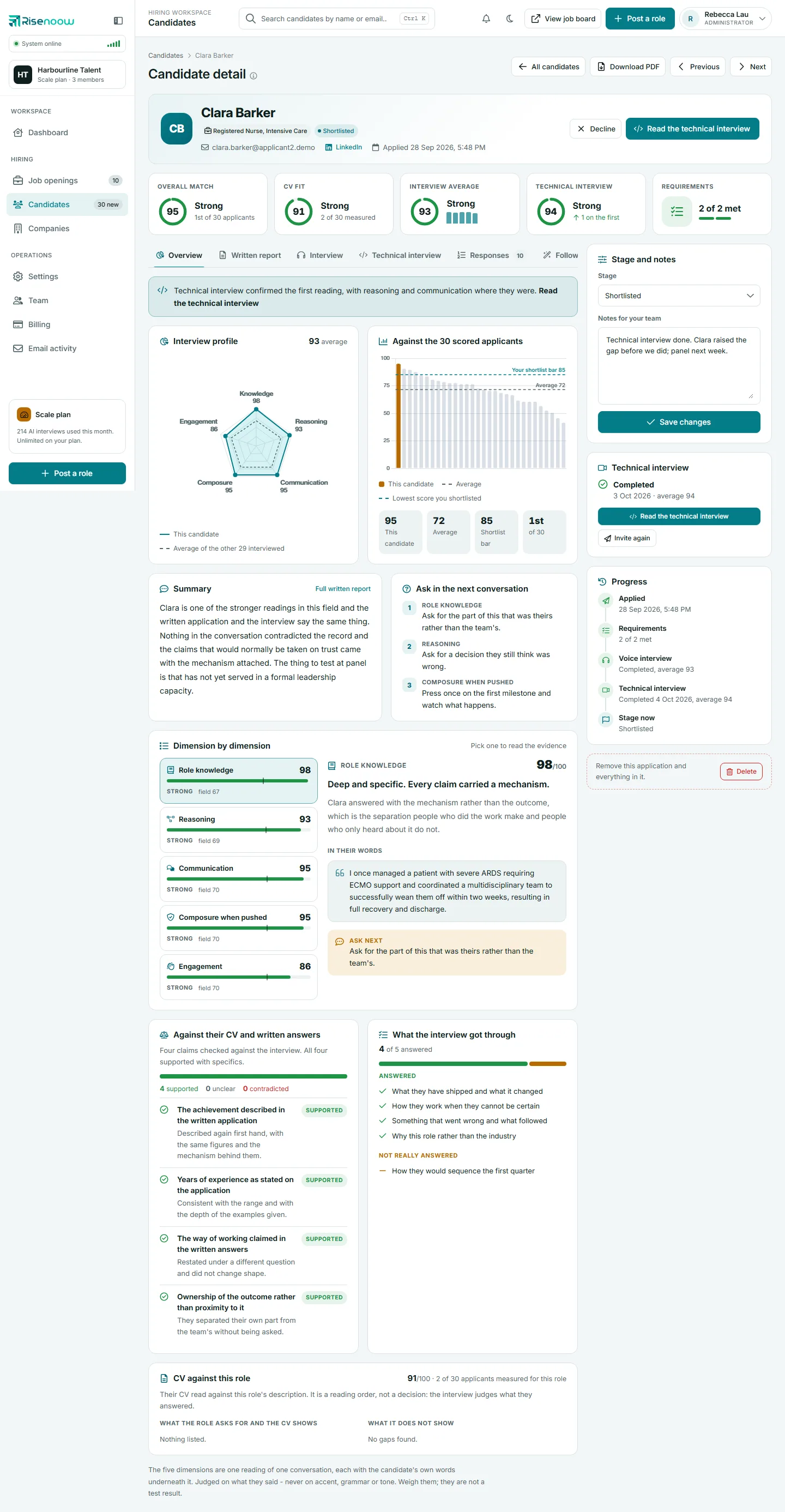
The steps on the timeline
Steps appear from top to bottom in the order an application moves. A step only appears when it applies to this candidate.
| Step | What it says | When it appears |
|---|---|---|
| Applied | The date and time the application was submitted, in your timezone. | Always. |
| Requirements | How many requirements were met, for example 2 of 2 met. Adds declined automatically when an Auto decline requirement was missed. | When the role had requirement questions. |
| Voice interview | Completed, average 93, Completed, or Not completed. The average is across the five interview dimensions. | When the role has a voice interview, or the candidate has one on record. |
| Technical interview | Completed with the date and average, or the state of a live invitation such as Invited, not started or Booked for. | When the candidate has sat one or has a live invitation. |
| Stage now | The current stage: New, AI Reviewed, In Review, Shortlisted or Declined. | Always. |
What the colours mean
Each step has a small round icon whose look tells you how it went:
- Done: a step that is finished, such as Applied, a met set of requirements or a completed interview.
- Problem: a step that went wrong, such as requirements not all met, or a stage of Declined.
- Now: where the application is at the moment, such as a technical interview that is booked, or the current stage.
- Plain: a step that has not happened, such as a voice interview that was not completed.
How to use it
- Open Candidates in the left menu and select a candidate's name.
- Look at the Progress card on the right before you read the tabs.
- If Requirements shows a problem, open the Requirements tab to see which one.
- If Voice interview says Not completed, expect no interview scores on the Overview tab.
- If Technical interview shows a live invitation, see the Technical interview card above for its full state and actions.
Good to know
The Progress card only reports. To change anything, use the Stage and notes card above it, or the Technical interview card. See Stage and notes and Invite to a technical interview.
Reading the technical interview step
The Technical interview step mirrors the invitation state shown on the Technical interview card:
| What you see | Meaning |
|---|---|
| Invited, not started | A completion date invitation the candidate has not started yet. |
| Invited, waiting for them to pick a time | A pick a time invitation with no time chosen yet, and the last day they can choose. |
| Booked for a date and time | The candidate chose a time. Their own timezone is shown in brackets. |
| Did not attend | The candidate did not join a booked time. |
| In progress | The interview is happening now. |
| Completed | Finished, with the date and the technical average. |
An invitation that ran out or was cancelled drops off the timeline.
Frequently asked questions
Why does the timeline have no voice interview step?
The role's voice interview is switched off and the candidate has no interview on record, so there is nothing to report.
Why does the voice interview say Completed with no average?
The interview happened, but it has not been read yet or was too short to score. The Interview profile on the Overview tab says which.
Can I see who changed the stage and when?
No. The timeline shows the current stage, not a history of changes. Stage emails to the candidate are listed under Email activity.
Why do the times look different from my colleague's?
Times are shown in each person's own timezone, set in My profile. See My profile.